



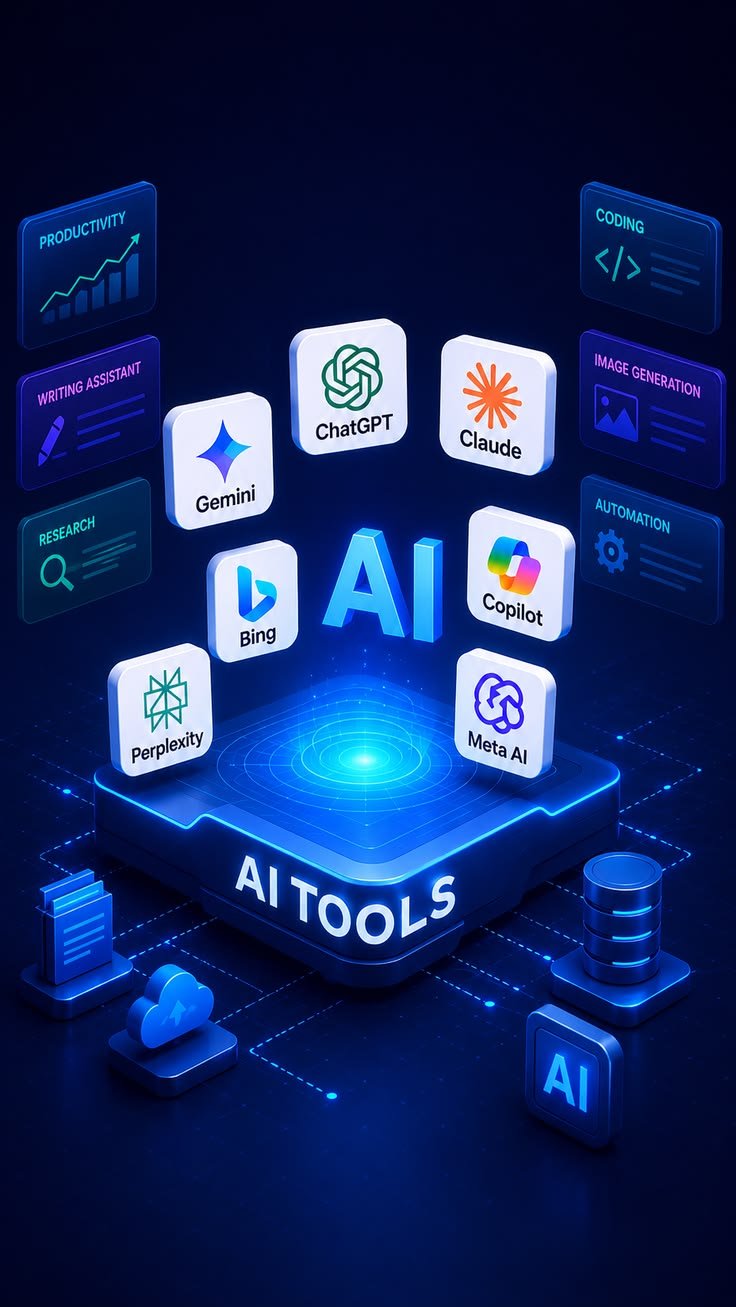
The best free AI tools for 2026–27 fall into five groups:
- How Do Free AI Tools Actually Work?
- Which Free AI Tools Are Worth Using This Year?
- Which Free AI Tool Is Best for Each Job?
- What Are the Best Free AI Tools Like ChatGPT for Writing and Daily Tasks?
- Which Free AI Tools Help Students Study Faster?
- What Are the Best Free AI Coding Tools Right Now?
- Which Free AI Tools Can Generate Images?
- Can You Create AI Videos for Free?
- What Are the Best Free AI Tools for Research?
- Which Free AI Tools Handle Voice, Audio, and Transcription?
- How Do You Choose the Right Free AI Tool for Your Task?
- When Is Upgrading From Free to Paid AI Worth It?
- What Are the Hidden Limits of Free AI Tools?
- How Can You Build a Simple Workflow With Free AI Tools?
- Which AI Is Best If You Don’t Want to Pay?
- What Are the Top 5 Free AI Tools Right Now?
- Which Free AI Tools Should Students Use?
- Is Any AI Tool Completely Free?
- What Are the Best Free AI Tools Overall?
- Are There Free AI Tools Online With No Sign-Up or Limits?
- Which No-Sign-Up AI Tools Should Businesses Try First?
- What Free AI Tools Can a Small Business Use for SEO, Content, and Admin?
- How Do You Pick the Right Free Business Utility?
- When Do Free AI Tools Stop Being Enough for a Business?
- Are No-Sign-Up AI Tools Truly Free?
- Do You Need an Account to Use Free AI Tools?
- Do Browser-Based AI Tools Store Your Data?
- Can You Use Free AI Tool Results in Client Work?
- How Reliable Are Free AI Cost Calculators?
- Why Do Companies Give AI Tools Away for Free?
- Can You Get a Custom AI Tool Built on Your Own Data?
- What Counts as an AI App?
- How Were These AI Apps Tested?
- Which AI Apps Earn a Spot in Daily Work (Free and Paid)?
- What Can You Try Free in Google Labs?
- How Much Does Google Labs Cost Beyond the Free Plan?
- Can Gumloop Automate Marketing and Ops Workflows?
- How Much Does Gumloop Cost Beyond the Free Plan?
- How Do Users Rate Gumloop?
- How Far Does Claude’s Free Plan Go?
- How Much Does Claude Cost Beyond the Free Plan?
- How Do Users Rate Claude?
- Is Cursor’s Free Hobby Plan Enough for Coding?
- How Much Does Cursor Cost Beyond the Free Plan?
- How Do Users Rate Cursor?
- Is Higgsfield Worth Paying for AI Video?
- How Much Does Higgsfield Cost Beyond the Free Plan?
- How Do Users Rate Higgsfield?
- Can Weavy Create On-Brand Images on a Free Plan?
- How Much Does Weavy Cost Beyond the Free Plan?
- What Can You Do With ElevenLabs for Free?
- How Much Does ElevenLabs Cost Beyond the Free Plan?
- How Do Users Rate ElevenLabs?
- Can Paradigm AI Enrich Spreadsheets and Lead Lists?
- How Much Does Paradigm AI Cost Beyond the Free Plan?
- Is Clearscope Worth Paying for SEO Content?
- How Much Does Clearscope Cost Beyond the Free Plan?
- How Do Users Rate Clearscope?
- Can v0 Prototype Websites and Apps for Free?
- How Much Does v0 Cost Beyond the Free Plan?
- How Do Users Rate v0?
- Can Lovable Build an App Without Code for Free?
- How Much Does Lovable Cost Beyond the Free Plan?
- How Do Users Rate Lovable?
- How Accurate Is Originality AI at Spotting AI Content?
- How Much Does Originality AI Cost Beyond the Free Plan?
- How Do Users Rate Originality AI?
- Can Descript Edit Video and Podcasts for Free?
- How Much Does Descript Cost Beyond the Free Plan?
- How Do Users Rate Descript?
- What Does Perplexity’s Free Plan Include?
- How Much Does Perplexity Cost Beyond the Free Plan?
- How Do Users Rate Perplexity?
- Can Gamma Build Presentations for Free?
- How Much Does Gamma Cost Beyond the Free Plan?
- How Do Users Rate Gamma?
- So Which Free AI Should You Actually Use?
- Can AI Show What’s Driving Your Revenue?
- How Do Assistants Like Claude Connect to Email Marketing?
- What Results Do Marketers See From AI Email Tools?
- Can AI Recommendations Use Your Own Sales Data?
- How Does AI Explain Which Campaigns Make Money?
- Can You Build Email Campaigns Inside ChatGPT or Claude?
- Will AI Soon Turn Your Data Into Ready Campaigns?
- What AI Features Do Email Marketing Platforms Offer?
- How Can AI Lift Email Open and Click Rates?
- Can AI Write Your Marketing Emails?
- Can AI Pick the Best Time to Send Emails?
- Why Do AI Marketing Tools Help Small Businesses?
- How Can AI Automate Campaigns and Lead Generation?
- Which AI Marketing Strategies Work for Small Teams?
- How Can You Use AI to Boost Marketing Results?
- Which AI Tools Strengthen a Digital Marketing Strategy?
- How Does AI Personalize Marketing at Scale?
- What Marketing Problems Does AI Solve?
- What Features Should AI Marketing Software Have?
- What Are the Main Benefits of AI in Marketing?
- Are AI Analytics Features Free or Paid-Only?
- How Do You Stop Guessing and Start Selling With AI?
- Writing and daily tasks: ChatGPT, Google Gemini, and Claude.
- Research and study: Perplexity and NotebookLM.
- Coding: GitHub Copilot or Cursor.
- Images: Leonardo AI and Ideogram.
- Audio: ElevenLabs and Whisper.
Most of these tools run on a freemium model, so choose by task and expect usage limits rather than unlimited access.
The hard part is not finding free AI tools. It is finding ones that stay useful once the free tier runs out. Many platforms advertise free access but put key features behind subscriptions, limit you with credits, add watermarks, or restrict commercial use. A tool that looks generous on its pricing page can stall halfway through a real project.
My filter has changed since the best free AI tools 2025 roundups. I now care less about which model sounds smartest. I care more about what the free tier lets me finish before a paywall appears. That shift shapes this whole guide, from student study tools to no-sign-up business utilities and AI for marketing.
One reviewer who tested more than 70 AI tools kept only 15 in daily or weekly use. That ratio matches what most people find. Free AI tools online are easy to sign up for and easy to abandon. The tools below are the ones with a clear job, a usable free tier, or a paid plan worth paying for.
How Do Free AI Tools Actually Work?
Free AI tools are applications that use artificial intelligence, usually large language models (LLMs), to generate text, analyze information, write code, create images, produce videos, translate languages, and process audio, often under a freemium model.

Under the freemium model, the basic version costs nothing. Advanced models, higher limits, faster processing, and commercial features usually need a subscription. A free writing assistant may cap the number of requests you can make. A free AI image generator usually hands out a limited number of credits instead.
Video tools are the strictest. Video-generation platforms give smaller free allowances because generating video needs much more computing power than text. That is why a free chatbot can feel almost unlimited while a free video tool runs dry after a few clips.
The practical takeaway is simple. Choose free AI tools based on what you need to get done, not on which tool has the longest feature list. A narrow tool with a usable free tier often beats a broad one that locks its best features behind an upgrade.
Which Free AI Tools Are Worth Using This Year?
The free AI tools worth using in 2026 are those that finish a real task on the free tier: ChatGPT, Google Gemini, Claude, Perplexity, and Microsoft Copilot for general work, plus specialist tools for images, video, audio, coding, and study.
This guide compares more than 20 free AI tools across writing, research, productivity, images, video, automation, audio, and education. For each one, it covers what the tool does, what the free version includes, where the limits start, and who it suits. Treat it as a working free AI tools list, not a ranking.
Some sections also cover paid AI apps such as Clearscope and Higgsfield. They are here because certain jobs, like SEO content grading or multi-model video editing, have no strong free option yet. Knowing where free coverage ends is part of choosing well.
Which Free AI Tool Is Best for Each Job?
The best free AI tool for each job depends on the task: Claude for natural writing, Perplexity for web research, Ideogram for images with readable text, and Whisper for transcription. The table below covers the rest.
| AI Tool | Best For | Free Access |
| ChatGPT | Writing, research, brainstorming | Limited free access |
| Google Gemini | Research and productivity | Free tier |
| Claude | Writing and coding | Free tier |
| Perplexity | AI-powered research | Free tier |
| Microsoft Copilot | Everyday productivity | Free access |
| Grammarly | Grammar and writing | Free tier |
| QuillBot | Rewriting and summarizing | Free tier |
| Google Translate | Translation | Free |
| DeepL | High-quality translation | Free tier |
| GitHub Copilot | Coding assistance | Limited free access |
| Cursor | AI-assisted coding | Limited free access |
| Google Antigravity | Agentic coding | Free preview; access varies |
| Leonardo AI | AI images | Free credits |
| Adobe Firefly | Image generation | Free credits |
| Ideogram | Images with text | Free tier |
| Canva AI | Design and content creation | Free features |
| Runway | AI video | Free credits |
| Pika | AI video effects | Free tier |
| NotebookLM | Research and studying | Free tier |
| Consensus | Academic research | Free searches |
| ElevenLabs | AI voice generation | Free tier |
| Whisper | Audio transcription | Free and open-source |
| Adobe Podcast | Audio enhancement | Free tier |
Free plan limits change often. Check each tool’s current terms before you build a habit or a client deliverable around a specific quota.
What Are the Best Free AI Tools Like ChatGPT for Writing and Daily Tasks?
ChatGPT, Google Gemini, Claude, and Microsoft Copilot are the strongest free AI tools like ChatGPT for writing and daily tasks, and each one suits a different way of working.
ChatGPT is the generalist. A student can use it to unpack a hard programming concept. A freelancer can get a first draft of a client email. A content creator can brainstorm article ideas and map out a structure. ChatGPT works best as an assistant, not as a source of truth, so check anything where accuracy matters.
Claude is my usual pick for editing rather than drafting. Give Claude an existing article and ask it to improve clarity, organization, or tone while keeping your meaning. The output tends to sound natural, which is why writers and developers both use Claude as an editor and coding partner.
Google Gemini fits people who already work in Google Docs, Sheets, and other Google services, though features depend on your plan and region. Microsoft Copilot plays the same role inside Microsoft products. For free AI tools for content creation, a simple split works well: draft in one assistant, then edit in another.
Which Free AI Tools Help Students Study Faster?
NotebookLM, Perplexity, Grammarly, and QuillBot help students study faster by cutting the time spent on research, revision, writing, and organization.
NotebookLM works from your own material instead of general knowledge. Imagine a 100-page course document. Instead of rereading it to find key ideas, you upload it and ask questions, pull out core concepts, and build study resources. Teachers can use NotebookLM the same way to turn lecture notes into review material.
Perplexity combines conversational answers with web sources. A student researching climate change can get a summarized response with references, then read the original sources in detail. Always open and check the citations, because AI search tools can misread or misquote a source.
Grammarly flags awkward sentences and improves readability while keeping your ideas, which helps a lot when English is not your first language. QuillBot focuses on paraphrasing and summarizing. Follow your institution’s rules on AI and paraphrasing, because these tools should support learning, not replace it.
What Are the Best Free AI Coding Tools Right Now?
GitHub Copilot, Cursor, and Google Antigravity are the best free AI coding tools right now, and each takes a different approach to how much the AI does for you.
GitHub Copilot is one of the best-known coding assistants. It works inside popular development environments and suggests code as you type. For beginners, the real benefit is learning: ask why a piece of code works instead of just pasting it. For experienced developers, Copilot speeds up repetitive tasks and unfamiliar libraries.
Cursor is a code editor built around AI-assisted programming. Its agent can work across multiple files, which helps when one change affects several parts of a project. Free usage is limited, so developers who code heavily every day will probably need a paid plan.
Google Antigravity goes further toward agents. It runs on Gemini 3 and is free in public preview. An agent can plan a task, modify files, run commands, and test parts of an application. Non-developers who want internal dashboards or simple project management tools may find no-code builders like v0 and Lovable easier, which are covered later.
Which Free AI Tools Can Generate Images?
Leonardo AI, Adobe Firefly, Ideogram, and Canva AI are the main free AI tools to generate images, and they use free credits or free tiers rather than unlimited output.
Leonardo AI gives you more control than typing one sentence and taking whatever comes back. You can try different styles, add reference images, and use image-guidance settings. That control helps when you need consistent visuals across a blog series or free AI tools for social media campaigns.
Ideogram is known for rendering readable text inside images, which most generators still struggle with. That makes it useful for posters, ads, and social graphics. A real estate agent, for example, could mock up a listing flyer with the property headline built into the design.
Adobe Firefly suits people already using Adobe’s creative tools, and Canva AI covers general design work. With any image tool, check the current license before using free-generated images in commercial work. Licensing terms are where free and paid plans differ most.
Can You Create AI Videos for Free?
Yes, you can create AI videos for free with Runway and Pika, but video tools give smaller free allowances than text or image tools because video takes far more computing power.
Runway is built for creative video generation and editing, including cinematic effects and generated footage. Treat its free credits as a way to test the platform, not as production capacity. I use Runway’s free tier to check whether an idea works visually before spending any money.
Pika focuses on effects and transformations for short social clips. A creator might transform an object, change its look, or add an unusual visual effect. That makes Pika a good fit for quick experiments rather than long edits.
Across free video tools, expect credit limits, watermarks, length restrictions, and other conditions. Even image-first platforms like Weavy note that video uses up credits much faster than images. Higgsfield, an all-in-one video platform, has no free plan at all.
What Are the Best Free AI Tools for Research?
Perplexity and Consensus are the best free AI tools for research. Perplexity handles fast web discovery, and Consensus searches academic papers.
Perplexity is most useful early on, when you need to understand a topic and find relevant websites, articles, and publications. It turns scattered search results into a sourced overview, so you spend less time opening tabs.
Consensus focuses on academic research and scientific literature. Instead of asking a chatbot to guess what studies say, you search real papers and review summarized findings. That suits students, researchers, and anyone who needs evidence rather than internet opinion.
Neither tool should be the final word. When a claim matters, the original source is the authority. AI should help you find and understand sources faster, not replace reading them.
Which Free AI Tools Handle Voice, Audio, and Transcription?
Whisper handles transcription, ElevenLabs handles voice generation, and Adobe Podcast handles audio cleanup, and all three offer free access.
Whisper is an open-source speech-recognition system. Because it can run locally, it appeals to technical users who want control over their data. It works well for interviews, lectures, podcasts, and meetings that you would rather not upload to a third-party server.
ElevenLabs is known for realistic AI voices. Its free tier is enough to test voiceovers, narration, and creative audio projects. Check its licensing terms before using free-generated audio commercially, because commercial rights depend on the plan.
Adobe Podcast cleans up recorded audio by reducing background noise and improving voice clarity. If you record a podcast or YouTube video on an inexpensive microphone, this kind of enhancement makes a noticeable difference.
How Do You Choose the Right Free AI Tool for Your Task?
You choose the right free AI tool by starting from your specific goal and matching it to the tool built for that job, not by looking for one tool that does everything.
| Your Goal | Recommended Starting Point |
| General AI assistant | ChatGPT or Gemini |
| Natural long-form writing | Claude |
| Web research | Perplexity |
| Academic research | Consensus |
| Studying documents | NotebookLM |
| Grammar improvement | Grammarly |
| Rewriting | QuillBot |
| Coding | GitHub Copilot or Cursor |
| AI images | Leonardo AI |
| Text in images | Ideogram |
| Creative video | Pika or Runway |
| AI voices | ElevenLabs |
| Transcription | Whisper |
| Audio cleanup | Adobe Podcast |
Combining tools usually works better than relying on one. A student might pair NotebookLM, Perplexity, and Grammarly. A blogger might use ChatGPT, Claude, Leonardo AI, and Adobe Podcast. A developer could combine Cursor, GitHub Copilot, and Perplexity.
When Is Upgrading From Free to Paid AI Worth It?
Upgrading from free to paid AI tools is worth it when you hit limits regularly, for example when you generate hundreds of images, process large documents, or code every day.
Free tiers are excellent for learning and occasional use. A student or casual user can often stay on free plans indefinitely. The table shows where the two tiers usually differ.
| Feature | Free AI Tools | Paid AI Tools |
| Cost | $0 | Monthly or yearly fee |
| Usage | Usually limited | Usually higher |
| Speed | May be lower priority | Often higher priority |
| Advanced models | Sometimes restricted | Usually broader access |
| Image and video credits | Often limited | Higher allowances |
| Commercial rights | Varies | Usually clearer or broader |
| Support | Basic | Better support on some services |
Entry-level paid tiers for assistants like Claude and Cursor start at $20/month. A good test is to track how often a free limit blocks you in one week. If it happens daily, the subscription likely pays for itself.
What Are the Hidden Limits of Free AI Tools?
The hidden limits of free AI tools fall into four areas: usage caps, privacy, commercial licensing, and accuracy. “Free” does not mean unlimited or risk-free.
Usage limits come from real costs. AI companies run expensive infrastructure, so most free services cap messages, images, videos, or requests. Privacy is the second concern. Before uploading confidential documents, passwords, API keys, customer data, or private business information, read the service’s privacy and data-use policies.
Licensing and accuracy are where mistakes cost the most. Some platforms allow commercial use of free outputs, while others restrict it or require attribution, and these rules change. AI models can also give confident but wrong answers, especially on medical, legal, financial, academic, and technical topics. Even AI detectors misfire: one popular detector has flagged fully human-written content as AI-generated. Use AI to speed up your work, not as something to trust blindly.
How Can You Build a Simple Workflow With Free AI Tools?
You can build a simple workflow with free AI tools by giving each tool one stage of a project instead of asking one AI system to do everything.
Say you are writing an article about renewable energy. This sequence uses only free tiers:
- Discover sources with Perplexity to map the topic and find credible starting points.
- Check the evidence in Consensus by searching academic research on your key claims.
- Organize your ideas with ChatGPT or Claude, turning notes into an outline and a draft.
- Polish the writing in Grammarly to fix grammar, clarity, and awkward sentences.
- Create a supporting graphic in Leonardo AI or Ideogram.
Students can use the same approach: NotebookLM for course material, Perplexity for extra sources, a chatbot for hard concepts, and Grammarly for the final draft. In every version, you stay responsible for checking the information and making the final call.
Which AI Is Best If You Don’t Want to Pay?
Claude, ChatGPT, and Gemini are the best AI assistants if you don’t want to pay, and the right pick depends on whether you need writing, research, coding, or everyday help. Claude’s free plan stands out by including web search, memory, file creation, and MCP connectors. ChatGPT remains a highly versatile generalist, while Gemini suits people who already work inside Google’s ecosystem.
What Are the Top 5 Free AI Tools Right Now?
The top five free AI tools right now are ChatGPT, Google Gemini, Claude, Perplexity, and Microsoft Copilot. Each one offers useful free features, but usage limits vary by tool and change over time. ChatGPT and Claude cover writing and reasoning, Gemini and Copilot fit their own office ecosystems, and Perplexity adds sourced web research that general chatbots often lack.
Which Free AI Tools Should Students Use?
Students should use ChatGPT, Gemini, Perplexity, Claude, and NotebookLM, which together cover research, explanations, summarization, brainstorming, and studying. NotebookLM is the specialist because it answers questions from your own course files instead of the open web. Perplexity adds citations you can verify, and Grammarly is a useful extra for polishing assignments without rewriting your ideas.
Is Any AI Tool Completely Free?
No major AI tool is completely free and unlimited across every feature. DeepSeek is one of the closest options to a truly free AI assistant. ChatGPT, Gemini, and Claude offer capable free plans with usage limits. For narrow business tasks, some browser-based utility collections do run with no sign-up, no trial, and no usage cap.
What Are the Best Free AI Tools Overall?
The best free AI tools overall in 2026 include ChatGPT, Google Gemini, Claude, Perplexity, DeepSeek, and Microsoft Copilot. The right choice depends on whether you need writing, research, coding, image generation, or everyday help. Most people get the best results by pairing one general assistant with one or two specialist tools, such as Leonardo AI for images or Whisper for transcription.
Are There Free AI Tools Online With No Sign-Up or Limits?
Yes, some business-focused collections offer free AI tools online with no sign-up, no trial, and no usage limit. One collection of 101 utilities also promises no watermarks, nothing stored, and instant results.
Most “free” AI tools ask for an email, cap you at a few uses, then push a subscription before you finish. This collection takes the opposite approach. Every tool opens and works without an account or credit card.
The tools came from a development agency that builds automation, websites, mobile apps, and SaaS products. Along the way, the team kept writing small utilities to answer quick questions: what an integration will cost, how long a meta description is, how many tokens a model will use. They cleaned the utilities up and made them public.
Which No-Sign-Up AI Tools Should Businesses Try First?
The five no-sign-up tools businesses should try first are an AI Prompt Checker, an AI Automation Cost Calculator, an AI Social Media Post Generator, a Content Gap Checker, and a GIF Maker.
The Prompt Checker scores a prompt for clarity and structure, then rewrites it. Its sample result scores 92 after fixes. The Automation Cost Calculator compares what automating a manual task costs to build against the monthly savings, and its sample shows $18,400 saved a year.
The Social Media Post Generator turns one idea into captions and images for Instagram, Facebook, LinkedIn, X, and Pinterest. The Content Gap Checker compares your page with a competitor’s. Its sample shows 52% coverage against 86%, with 4 topics missing. The GIF Maker turns uploaded photos into an animated GIF in your browser, with a sample of 3 frames at 400 ms each.
What Free AI Tools Can a Small Business Use for SEO, Content, and Admin?
A small business can use free AI tools across five categories: cost calculators, writing helpers, SEO and content checks, image and media tools, and admin utilities.
- Cost calculators: Get a defensible estimate in about a minute before committing to automation, a model, or an app build. The assumptions are shown on the page.
- AI writing helpers: Prompt scoring, cold emails, proposals, product descriptions, and FAQs give you a solid first draft to edit, not copy to publish unedited.
- SEO and content tools: Snippet previews, schema generators, keyword density checks, and content gaps handle in seconds what an SEO would otherwise check by hand.
- Image and media tools: GIFs, background removal, compression, resizing, and OCR run in your browser, so files are never uploaded.
- Business and admin tools: Invoices, privacy policies, readiness quizzes, and planners handle the paperwork that gets in the way of real work.
For free AI tools for SEO, the samples show the level of detail. A keyword density check returns figures like 2.4%, 1.6%, and 0.9%. A speed and SEO audit returns a sample score of 94. For consistent brand assets across every channel, you will eventually need proper branding work rather than one-off exports.
How Do You Pick the Right Free Business Utility?
You pick the right free business utility by starting from the question you need answered, not from the tool.
If you are deciding whether to automate something, open a cost calculator first. If you are writing, run the prompt checker before the generator. A better prompt improves output more than a better model does, and I see that pattern in almost every content workflow I set up.
When you are not sure what exists, type a plain word into the search box. Searching “cost,” “invoice,” or “resize” matches tool names and descriptions, which is faster than scrolling through 101 options.
When Do Free AI Tools Stop Being Enough for a Business?
Free AI tools stop being enough when a task depends on your own pricing, customers, stock levels, or team processes, because a general tool only works with what you paste into it.
A free tool can save you an afternoon, but it will not run your business. It does not know how your team actually works or what your inventory looks like today.
Custom systems pick up where free tools stop. They read real data, work inside Gmail, your CRM, your store, or your database, and pass anything unusual to a person before it goes out. Automation platforms such as Gumloop sit in between. They let non-developers connect LLMs to their own apps before investing in a full custom build.
Are No-Sign-Up AI Tools Truly Free?
Yes, the no-sign-up AI tools described here are truly free, with no sign-up, no trial, and no credit card. The team built them for its own client work, so running costs are already covered. There is no paid tier behind them. The business model is indirect: the tools show what the team can build, and some users later hire them for custom projects.
Do You Need an Account to Use Free AI Tools?
No, you do not need an account to use these free AI tools. You open a tool and use it right away. There is no email request and no pop-up asking you to register before you see the result. That is rare among free AI tools online, where account creation is usually the first step and often leads to usage tracking or upgrade prompts.
Do Browser-Based AI Tools Store Your Data?
No, these browser-based AI tools do not store your data. They run in your browser or process your input and return the result without keeping it. Nothing you paste is saved to an account or used to train a model. That is also why the GIF Maker works on a slow connection: your files never leave your device.
Can You Use Free AI Tool Results in Client Work?
Yes, you can use the results from these free AI tools in client work, because anything you generate is yours to use commercially. There are no watermarks and no attribution requirement, though a link back is appreciated. Other free AI platforms set different rules, so check licensing on each tool before putting its output into paid client deliverables.
How Reliable Are Free AI Cost Calculators?
Free AI cost calculators are reliable for estimates, not final quotes, because they rely on stated assumptions such as 48 working weeks and 160 hours a month. They are useful for getting a sense of scale and starting an internal conversation. For a real number on a real project, someone has to scope your specific requirements properly before committing a budget.
Why Do Companies Give AI Tools Away for Free?
Companies give AI tools away for free because the tools already exist and keeping them private would be a waste. Most were originally built because a client needed them. Free tools also introduce the company’s work: if a calculator saves you an afternoon, you get a clear idea of what the team could build using your own business data.
Can You Get a Custom AI Tool Built on Your Own Data?
Yes, you can get a custom AI tool built on your own data, and that is the main business of the teams who publish free utilities. The difference is that a custom tool runs on your data, inside the systems your team already uses, with a person approving anything unusual. Prototyping tools like v0 can help you test an idea before you commission it.
What Counts as an AI App?
An AI app is any application that uses artificial intelligence, usually large language models, to understand context, generate content, make decisions, or automate tasks that would otherwise need a person.
The category grew quickly. It started with ChatGPT, then Claude, and today almost every tech tool from the past three years includes some AI feature. Some apps are thin wrappers around a chatbot. Others are new products doing things that were not possible a few years ago.
AI apps come in two broad types. In the first, the AI is the product, as with ChatGPT and Claude. In the second, the app connects LLMs to APIs and existing software to automate work. The apps below cover writing, coding, video editing, voice generation, search, and automation.
How Were These AI Apps Tested?
These AI apps were chosen by a reviewer who tested more than 70 AI tools and kept only the 15 still in daily or weekly use after six months.
The criteria were practical, not technical:
- Was the tool still in use after the first week?
- Did it produce something new, or only seem useful?
- How easy was it to start, and how did the output compare with doing the work manually?
- Did it have a free plan or reasonable pricing?
- How well did it integrate with existing tools?
- Was it actively improving or feeling outdated?
- Could it be relied on for real work?
Feature checklists matter less than they used to. The question that settles most decisions is whether a tool lets you do something you could not do before. I apply the same test, and most tools fail it within a week.
Which AI Apps Earn a Spot in Daily Work (Free and Paid)?
The 15 AI apps that earn a spot in daily work are Google Labs, Gumloop, Claude, Cursor, Higgsfield, Weavy, ElevenLabs, Paradigm AI, Clearscope, v0, Lovable, Originality AI, Descript, Perplexity, and Gamma.
The list mixes free and paid tools on purpose. Several have generous free plans. A few, including Clearscope, Higgsfield, and Originality AI, have no free plan at all. The sections below explain what each app does, what it costs, and how users rate it, so you can decide which free tiers to try first.
What Can You Try Free in Google Labs?
Google Labs lets you try Google’s experimental AI apps for free, including Pomelli, Mixboard, CC, Google AI Studio, and the Antigravity coding IDE.
Pomelli is the one I would open first. You enter your website, and Pomelli pulls in your design system. You can then add product images and get on-brand ad and social content without a designer. Mixboard works like a floating inspiration board for visual brainstorming, and CC focuses on email productivity.
Google AI Studio is a free, web-based space to test Gemini prompts, generate images, create speech, and build lightweight apps. Antigravity, powered by Gemini 3, lets coding agents plan, write code, test it in a browser, and check results. The trade-off is that experiments can disappear without warning, some are unavailable in certain countries, and a few still feel unfinished.
How Much Does Google Labs Cost Beyond the Free Plan?
Google Labs costs nothing, because every experiment, including Pomelli, Mixboard, and CC, is free to use.
Google AI Studio is also free, with generous daily usage limits on Gemini models. Antigravity is free during its public preview period. Pricing could change once these tools leave preview, so treat today’s free access as a good window for testing.
Can Gumloop Automate Marketing and Ops Workflows?
Yes, Gumloop automates marketing, sales, and operations workflows by placing an AI model in the middle of a flow so it can analyze data and make decisions, not just move data.
Compared with older tools like Zapier or n8n, Gumloop is built for AI-first workflows. It connects to models like ChatGPT, Claude, Gemini, DeepSeek, and Grok, plus MCP servers. A drag-and-drop builder chains together scraping, prompts, integrations, and outputs.
One example flow scrapes competitor blog posts, summarizes them, and posts a Slack digest every morning. Another turns a keyword list into content briefs and pushes them to Google Docs. These are good examples of free AI tools for business automation in 2026. Gummie, Gumloop’s built-in copilot, can build a flow from a plain description, and templates help you start. Complex flows still take some trial and error, and the interface has occasional quirks.
How Much Does Gumloop Cost Beyond the Free Plan?
Gumloop’s paid plan starts at $37/month after a free 14-day trial. The Pro plan includes 20,000+ credits, unlimited triggers, webhooks, and the option to use your own API key.
Free access has also been described as a free plan with 2,000 credits and unlimited nodes, so check the current terms before you start. Enterprise pricing is custom and adds role-based access control, SAML SSO, audit logs, and a virtual private cloud. Because pricing is credit-based, keep an eye on usage.
How Do Users Rate Gumloop?
Users rate Gumloop 4.8/5 on G2 from 7+ reviews and 5/5 on Product Hunt from 9+ reviews.
Both review counts are small, so treat the scores as early signals rather than settled consensus.
How Far Does Claude’s Free Plan Go?
Claude’s free plan goes further than most, with web, mobile, and desktop access, web search, memory, file creation, MCP connectors, and Slack and Google Workspace integrations.
Claude, built by Anthropic, works well as an all-around assistant for writing, coding, research, and productivity. Projects are a strong feature: you save custom instructions and reference files for each project, and Claude effectively becomes a custom assistant for that work. That makes Claude one of the more practical free AI tools for project management when the work is mostly writing and planning.
Paid plans add more. Claude Code supports building internal tools, and Cowork lets Claude edit files on your desktop. MCP integrations can pull in data from tools like Google Analytics and Ahrefs. The downsides: usage limits can be frustrating even on Pro, Claude cannot generate images natively, and it can be overly cautious with some requests.
How Much Does Claude Cost Beyond the Free Plan?
Claude Pro costs $20/month, or $17/month billed annually. It adds more usage, Claude Code, Cowork, unlimited projects, and Research.
Max starts at $100/month and offers 5x or 20x more usage than Pro, higher output limits, and early access to new features. The jump from Pro to Max is large, so most people should start with Pro and upgrade only when they hit limits regularly.
How Do Users Rate Claude?
Users rate Claude 4.6/5 on G2 from 403+ reviews and 4.4/5 on Capterra from 48+ reviews.
With hundreds of reviews, Claude’s scores are more reliable than those of newer apps on this list.
Is Cursor’s Free Hobby Plan Enough for Coding?
Cursor’s free Hobby plan is enough for light coding and learning, but its limits on agent requests and tab completions push daily developers toward a paid plan.
Cursor is a full development environment built on VS Code, so the switch feels familiar. It works with many models, including Claude Opus, Gemini Pro, and ChatGPT Codex. Cursor’s own Composer model is fast for frontend UI work, and GitHub integration makes pushing code easy.
A common setup is to use Claude Code inside Cursor for backend work and Cursor’s agent for smaller frontend tasks. Local agents can also store reusable skills, such as marketing workflows. Non-technical users face a learning curve, and higher tiers get expensive. For cloud-based agent workflows, a dedicated automation platform is usually easier.
How Much Does Cursor Cost Beyond the Free Plan?
Cursor Pro costs $20/month and adds extended agent limits, unlimited tab completions, cloud agents, and maximum context windows.
Pro+ costs $60/month with 3x usage on OpenAI, Claude, and Gemini models. Ultra costs $200/month with 20x usage and priority access to new features. Teams costs $40/user/month and adds shared chats, centralized billing, usage analytics, and SSO. Enterprise pricing is custom, with pooled usage, invoice billing, SCIM, audit logs, and priority support.
How Do Users Rate Cursor?
Users rate Cursor 4.7/5 on G2 from 307+ reviews and 5/5 on Product Hunt from 912+ reviews.
The high review volume suggests that many developers have tested Cursor in real projects.
Is Higgsfield Worth Paying for AI Video?
Higgsfield is worth paying for if you make a lot of AI video, because it brings multiple video models, image generation, audio, and editing into one dashboard.
Higgsfield works as a hub for AI video. Instead of switching between several video tools, you connect multiple models in one place. Its own Higgsfield Audio model handles voice cloning and multilingual synthesis, and you can also connect ElevenLabs.
There is no free plan, so Higgsfield is not a free option. Credit-based pricing keeps the entry cost low, but heavy creators can find higher tiers expensive. The platform is newer, so some features are still changing.
How Much Does Higgsfield Cost Beyond the Free Plan?
Higgsfield has no free plan, and its paid plans start at $9/month. The Basic plan includes 150 credits, selected models, and up to 2 concurrent videos.
Pro costs $29/month for 600 credits, all models, and 3 concurrent videos. Ultimate costs $49/month for 1,200 credits and 4 concurrent videos. Creator costs $250/month for 6,000 credits, up to 8 concurrent videos, and a 35% cheaper cost per credit. All plans include early access to advanced features and discounts on extra credits.
How Do Users Rate Higgsfield?
Users rate Higgsfield 4.3/5 on G2 from 21+ reviews and 4.7/5 on Product Hunt from 3+ reviews.
The Product Hunt score is based on very few reviews, so the G2 rating is the more useful signal.
Can Weavy Create On-Brand Images on a Free Plan?
Yes, Weavy can create on-brand images on its free plan, which includes 150 credits, full access to its AI models, and 5 workflows.
Weavy, now part of Figma, builds workflows around AI image generators. It works for both images and short animations. In one common setup, a designer’s example images go into a workflow with prompt templates. Small prompt changes then produce new blog thumbnails that match the house style.
This workflow approach makes batch image creation fast, and a commercial license is included on every plan. The limits are a small community and a credit system that heavy users exhaust quickly, especially when generating video.
How Much Does Weavy Cost Beyond the Free Plan?
Weavy’s paid plans start at $24/month for Starter, which includes 1,500 credits, unlimited workflows, and top-ups of 1,000 credits for $10.
Professional costs $45/month for 4,000 credits, 3-month credit rollover, and top-ups of 1,200 credits for $10. Team costs $60/user/month for 4,500 credits per user, a shared credit pool, unified billing, and workspace file sharing.
What Can You Do With ElevenLabs for Free?
With ElevenLabs for free, you get 10k credits a month for text-to-speech, speech-to-text, sound effects, voice design, music, and up to 3 projects.
ElevenLabs turns a transcript into a human-like voiceover, which suits AI videos, narrated content, and site agents that read pages aloud to visitors. ElevenLabs Agents lets you deploy and monitor conversational agents, with realistic speech in 70+ languages.
The free plan is generous enough to test properly. Voice cloning requires a paid plan, agent plans are billed separately by usage, and costs can rise if you produce a lot of audio. For commercial voiceover work, the paid plans are where licensing becomes clear.
How Much Does ElevenLabs Cost Beyond the Free Plan?
ElevenLabs Starter costs $5/month and adds 30k credits, a commercial license, instant voice cloning, and 20 projects.
Creator costs $11/month, with 50% off the first month. It includes 100k credits, professional voice cloning, and 192kbps audio quality. Pro costs $99/month and adds 44.1kHz PCM audio output through the API. Agent plans are a separate add-on billed by usage.
How Do Users Rate ElevenLabs?
Users rate ElevenLabs 4.5/5 on G2 from 1,139+ reviews and 4.9/5 on Product Hunt from 155+ reviews.
ElevenLabs has more G2 reviews than any other app in this list, which gives its score extra weight.
Can Paradigm AI Enrich Spreadsheets and Lead Lists?
Yes, Paradigm AI enriches spreadsheets and lead lists by treating every cell as an AI agent that can search, analyze, and fill in data with one click.
The setup is simple. Put a keyword list in one column, write a prompt in the next column asking for search intent, and run it. Agents search each keyword and report back in the new column. The same pattern works for company research and makes Paradigm AI a practical choice among free AI tools for lead generation.
Paradigm AI is often compared with Clay, but it covers more use cases. It accepts CSV and XLSX imports for existing data. The limits: the free plan has a monthly cap with no on-demand usage, premium models start at the Business tier, and integrations are still limited.
How Much Does Paradigm AI Cost Beyond the Free Plan?
Paradigm AI Pro costs $20/month and includes $20 of on-demand usage, up to 50 team seats, full email access, personal analytics, and webhooks.
The free Starter plan includes daily usage up to a monthly cap, basic AI chat, basic AI models, and up to 100 emails per month. That is enough to test the every-cell-is-an-agent idea on a small keyword or lead list before paying.
The jump after Pro is steep. Business costs $500/month and includes $500 of on-demand usage, premium AI chat, premium AI models, team analytics, and Slack support. Enterprise pricing is custom, with custom usage allocation, custom seat count, full RBAC, domain auto-verification, and SSO. Most solo users and small teams will never need more than Pro.
Is Clearscope Worth Paying for SEO Content?
Clearscope is worth paying for if SEO content drives revenue for your business, because it grades a page against top-ranking competitors and tells you which related terms are missing.
Clearscope is older than most AI apps in this guide. One long-time user first found it back in 2019. For years, it has used IBM Watson and Google NLP to study the pages that rank for a keyword. It measures how often related terms appear across those pages, a method close to TF-IDF, and then suggests semantically related keywords to add.
In practice, you enter a target keyword and get a report built from competitors chasing that same term. The content grade shows when a draft is fully optimized. Clearscope also plugs into Google Docs and WordPress, so writers can check their work without leaving the editor.
Clearscope is not one of the best free AI tools for SEO, because it has no free plan at all. It also does not run full keyword research on its own and only covers content optimization, so you still need other SEO tools. Some teams find alternatives like Surfer SEO cheaper. If budget is tight, the free content gap and keyword density checkers covered earlier handle a lighter version of the same job.
How Much Does Clearscope Cost Beyond the Free Plan?
Clearscope has no free plan, and its Essentials plan starts at $129/month with 20 AI tracked topics, 20 monthly topic explorations, 20 monthly AI drafts, and 50 content inventory pages.
Business costs $399/month. It raises the limits to 50 tracked topics, 50 monthly topic explorations, and 300 content inventory pages, keeps 20 monthly AI drafts, and adds a dedicated account manager. Enterprise pricing is custom, with custom credits, custom agreements, crawler whitelisting, and SSO.
How Do Users Rate Clearscope?
Users rate Clearscope 4.9/5 on G2 from 92+ reviews and 4.9/5 on Capterra from 60+ reviews.
Matching scores across two review sites point to a mature, dependable product, even if the price keeps it out of reach for many small teams.
Can v0 Prototype Websites and Apps for Free?
Yes, v0 can prototype websites and apps for free, with $5 of monthly credits, GitHub sync, and a limit of 7 messages per day.
v0 comes from the team at Vercel, the hosting platform, so you can deploy straight from the tool. A Supabase integration adds a full database when a prototype needs real data. Among vibe coding tools, v0 is often praised for design quality, which makes it a strong first stop if you care how the product looks.
A workflow I like is to prototype in v0, export the code, and then finish the build in Cursor. That split plays to v0’s strength. Output often needs cleanup before production, and credits can run out quickly on complex projects.
For a small business owner, the free plan is a low-risk way to test an idea. You can mock up a booking page or an internal dashboard before spending money on a developer or a custom build.
How Much Does v0 Cost Beyond the Free Plan?
v0 Premium costs $20/month and includes $20 of credits, $2 of free daily credits on login, 5x higher attachment limits, and Figma import.
Team costs $30/user/month, with $30 of credits per user, shared team credits, and centralized billing. Business costs $100/user/month and adds training opt-out by default. Enterprise pricing is custom, with SSO, RBAC, priority access, and guaranteed support.
How Do Users Rate v0?
Users rate v0 4.8/5 on Product Hunt from 52+ reviews and 4.7/5 on G2 from 52+ reviews.
The review pool is modest, but the scores line up closely across both sites.
Can Lovable Build an App Without Code for Free?
Yes, Lovable can build a working app without code on its free plan, which includes 5 daily credits, up to 30 a month, and unlimited collaborators.
Lovable works in plain language. You describe the app, Lovable builds a working prototype in real time, and you refine it with simple feedback before deploying in one click. It connects to databases like Supabase and syncs with GitHub, so a project can grow beyond the first version.
The difference from v0 is focus. v0 leans toward design-first frontend prototypes. Lovable aims for full working apps, which makes it a practical option among free AI tools for project management when you want a simple tracker or internal tool your team can use. A template library helps if you would rather not start from a blank prompt.
The free plan only supports public projects, so it is not suitable for anything sensitive. Designs can also look similar to other vibe-coded apps. Complex enterprise applications are a poor fit, and you still need some technical understanding to debug problems.
How Much Does Lovable Cost Beyond the Free Plan?
Lovable Pro costs $25/month and includes 100 monthly credits, 5 daily credits up to 150 a month, credit rollovers, custom domains, and user roles.
Business costs $50/month and adds internal publishing, SSO, a team workspace, design templates, and a security center. Enterprise pricing is custom, with dedicated support, onboarding services, SCIM, audit logs, and publishing controls. The free plan also includes 5 domains on Lovable’s own app subdomain.
How Do Users Rate Lovable?
Users rate Lovable 4.6/5 on Product Hunt from 166+ reviews and 4.6/5 on G2 from 208+ reviews.
Identical scores on both platforms, from a healthy number of reviews, suggest consistent user experiences.
How Accurate Is Originality AI at Spotting AI Content?
Originality AI is accurate enough to act as a strong guide for spotting AI content, but no detector is 100% accurate, including this one.
One heavy user calls Originality AI the most accurate detector they have tested. That same user has still seen fully human-written content flagged as AI. Treat any score as a signal to review the draft, not as a verdict.
Originality AI also bundles a plagiarism checker, a readability checker, and a fact-checking aid in one place. For editors reviewing freelance drafts before publishing, that combination removes a few separate tabs from the workflow. A Chrome extension and WordPress plugin make access easier.
Originality AI has no free plan. You have to pay to use it, and the interface is functional rather than polished. The pay-as-you-go option does mean you can skip a subscription if you only check content occasionally.
How Much Does Originality AI Cost Beyond the Free Plan?
Originality AI has no free plan, and its pay-as-you-go option costs a one-time $30 for 3,000 credits, with an AI checker, plagiarism checker, readability checker, fact-checking aid, and 30 days of scan history.
Pay-as-you-go credits can expire after 2 years. Pro costs $14.95/month for 2,000 credits a month, file uploads, full site scans, team management, and the Chrome extension. Enterprise costs $179/month for 15,000 credits a month, a dedicated customer success manager, priority support, 365 days of scan history, and API access.
How Do Users Rate Originality AI?
Users rate Originality AI 4.5/5 on G2 from 171+ reviews and 5/5 on Capterra from 7+ reviews.
The G2 score carries more weight here, since the perfect Capterra rating comes from only a handful of reviews.
Can Descript Edit Video and Podcasts for Free?
Yes, Descript can edit video and podcasts for free with text-based editing and basic AI tools, though the free plan is very limited and best for testing.
Descript lets you edit a video by editing its transcript. Delete a sentence in the text, and the matching footage disappears. For long-form videos and podcasts, I find this faster than scrubbing a timeline, especially when a script is being read on camera.
The paid tiers add AI tools for green screen, eye contact correction, Studio Sound, and filler word removal. Studio Sound cleans up poor audio automatically, and filler word removal can save hours of manual editing. You can also generate scripts and create custom videos for B-roll sections.
The trade-offs show up on bigger jobs. Descript can feel slow on longer projects or large files, and AI credits run out quickly with heavy use. Export quality is also tied to plan: 1080p starts at Hobbyist, and 4K requires Creator.
How Much Does Descript Cost Beyond the Free Plan?
Descript Hobbyist costs $16/month, or $24 billed monthly, and includes 10 media hours, 400 AI credits, 1080p export, Studio Sound, and filler word removal.
Creator costs $24/month, or $35 billed monthly, for 30 media hours, 800 AI credits, 4K export, full Underlord access, AI video generation, and a stock media library. Business costs $50/month, or $65 billed monthly, for 40 media hours, 1,500 AI credits, Brand Studio, 30+ language dubbing, custom avatars, and priority support. Enterprise pricing is custom, with SSO/SCIM, granular brand controls, custom AI credits, and flexible licensing.
How Do Users Rate Descript?
Users rate Descript 4.6/5 on G2 from 854+ reviews and 4.7/5 on Capterra from 179+ reviews.
With more than a thousand reviews combined, Descript’s ratings rest on a broad base of real editing work.
What Does Perplexity’s Free Plan Include?
Perplexity’s free plan includes basic search and AI answers with sources, which covers most everyday research questions.
Perplexity behaves like a chatbot with much stronger web search. Instead of a list of links, you get a sourced, cited answer. Its social search can also pull insights from forums and user-generated content. I use that to see how real people talk about a topic before writing about it.
Perplexity also offers a Computer feature, an AI agent that completes tasks on your behalf, similar in spirit to Claude Cowork or ChatGPT Agent. Free users get limited access to advanced models, so heavier research jobs push you toward Pro.
Two cautions apply. Perplexity’s sources are not always the most authoritative, and it can sometimes present outdated information with confidence. Click through on any figure you plan to publish.
How Much Does Perplexity Cost Beyond the Free Plan?
Perplexity Pro costs $17/month billed annually and adds access to GPT-5.2, Gemini 3.1 Pro, and Grok 4.1, deeper sourcing from proprietary data, and reports, documents, and apps.

Ultra costs $167/month billed annually. It adds advanced reasoning models, deep investigations at scale, massive dataset support, 45,000 monthly Computer credits, and Model Council. For most users, Ultra is expensive.
How Do Users Rate Perplexity?
Users rate Perplexity 4.5/5 on G2 from 238+ reviews and 4.6/5 on Capterra from 30+ reviews.
The scores are steady across both sites, though the Capterra sample is fairly small.
Can Gamma Build Presentations for Free?
Yes, Gamma can build presentations for free, with 400 credits at signup, up to 10 cards per prompt, and export to PDF, PPTX, PNG, and Google Slides.
Gamma generates a full deck from a text prompt in seconds. It also handles documents, websites, social posts, and images, which makes it a handy option among free AI tools for content creation when you need a pitch deck or proposal without a designer. You can import existing PDF and PPTX files and rework them.
The free credits do not refresh monthly. Once the 400 signup credits are gone, you have to upgrade. Plan your free use around one or two important decks rather than casual testing.
Gamma also has limits as a design tool. AI-generated content still needs editing to match your voice, and customization is limited compared with Figma or PowerPoint. Advanced AI models are locked behind Pro and Ultra.
How Much Does Gamma Cost Beyond the Free Plan?
Gamma Plus costs $12/seat/month and includes 1,000 monthly credits, up to 20 cards per prompt, Gamma branding removed, and advanced AI image models.
Pro costs $25/seat/month for 4,000 monthly credits, up to 60 cards per prompt, custom branding and fonts, detailed analytics, API access, and workspace templates. Ultra costs $100/seat/month for 20,000 monthly credits, up to 75 cards per prompt, the most advanced AI models, and early access to new features.
How Do Users Rate Gamma?
Users rate Gamma 4.1/5 on G2 from 22+ reviews and 4.5/5 on Product Hunt from 77+ reviews.
Gamma’s G2 score is the lowest among the rated apps in this group, though both review samples are small.
So Which Free AI Should You Actually Use?
The free AI you should actually use depends on the job, but Claude is the strongest single pick for chat because its free plan includes web search, memory, file creation, MCP connectors, and Slack and Google Workspace integrations.
If you want more than a chatbot, Google Labs offers the widest free coverage. Image generation, email productivity, prototyping, and a full AI-powered IDE through Antigravity all sit in one free ecosystem. For automation, a free Gumloop plan with 2,000 credits, unlimited nodes, and access to any LLM is enough to build a few flows before you commit to paying.
The deciding test is staying power. The best AI tool is the one still in your workflow after the first week. A reviewer who tested more than 70 apps found most were never opened again, and that pattern matches my own experience. Pick two or three tools, give each a real task, and drop whatever does not save you time.
Can AI Show What’s Driving Your Revenue?
Yes, AI can show what’s driving your revenue when it is connected to your store data, because it can turn sales and campaign history into clear answers and a recommended next move.
This is where free AI tools for marketing start to differ from general chatbots. A chatbot only knows what you paste into it. An AI layer built into an email marketing platform can read your actual orders, campaigns, and customer behavior, then suggest what to do next.
One major email marketing platform pitches this as spending more time selling and less time guessing. Its free trial requires no credit card, though features vary by plan. That makes it easy to test whether the recommendations match what you already suspect about your best customers.
How Do Assistants Like Claude Connect to Email Marketing?
Assistants like Claude connect to email marketing through connectors that bring work you create in the chat directly into your email platform.
One major email platform offers a connector that moves what you build in Claude into its campaign tools. Its interactive demo takes just a few minutes and does not require signup. The demo is based on the platform’s Standard plan, and feature availability varies by plan type.
The practical benefit is fewer copy-and-paste steps. If you already draft campaign ideas in Claude, a connector keeps that work grounded in your real audience data instead of ending up as a loose document you then rebuild by hand.
What Results Do Marketers See From AI Email Tools?
Marketers using one major email platform’s AI and automation features have seen up to 30x ROI after connecting an ecommerce store, according to the platform’s own data.
That figure is based on ecommerce revenue attributed to paid plan users’ campaigns from August 2024 to August 2025, and it requires a connected store. The same platform reports up to 1.7x more attributed revenue from Abandoned Cart Automation Flows compared with bulk emails, based on paid users from January 2025 to January 2026.
Channel mix matters too. US users who sent both email and SMS saw up to 2x higher click rates than email-only senders, measured from 8/1/23 to 7/28/26. Results vary, so treat these as upper bounds rather than expected outcomes.
Can AI Recommendations Use Your Own Sales Data?
Yes, AI recommendations can use your own sales data, which makes them more useful than a generic marketing playbook.
The better systems ground every suggestion in what you have actually sent, what sold, and who bought it. That means recommendations reflect your store’s real sales, campaigns, and customer behavior rather than broad industry advice.
There is also a compounding effect. The more you use a platform like this, the sharper its recommendations get, because it has more of your history to learn from. In my experience, that is the main reason to keep marketing data in one connected system rather than scattered spreadsheets.
How Does AI Explain Which Campaigns Make Money?
AI explains which campaigns make money by analyzing revenue attribution and giving you a plain-language reason why certain campaigns and automations perform.
One email platform’s Analytics AI does exactly this. It identifies which campaigns and automations are actually moving revenue, then explains the reason in everyday language. The point is to help you double down on what works instead of guessing.
The CEO and owner of Minnesota Playlist described the experience as being like hiring a marketing specialist for free. That is a strong claim from one customer, but it captures the appeal for small teams that cannot afford a dedicated analyst.
Can You Build Email Campaigns Inside ChatGPT or Claude?
Yes, you can build email campaigns inside ChatGPT or Claude when your email platform offers connectors for those assistants.
One major platform connects to ChatGPT, Claude, Perplexity, Codex, and Google Workspace. That lets you create email and SMS campaigns without leaving the chat, using the assistant you already trust.
The key difference from a plain chatbot draft is grounding. Campaigns built through a connector draw on your real store data instead of a generic guess about your audience. If you already spend hours in ChatGPT or Claude, this removes the gap between idea and scheduled send.
Will AI Soon Turn Your Data Into Ready Campaigns?
AI is moving toward turning your data into ready campaigns, but for now this is a planned direction rather than a feature you can rely on.
One email platform has announced that its AI will soon go beyond surfacing the next move to helping you make it. That means turning an opportunity found in your data into a ready-to-review campaign, a built segment, and more, without switching tools.
The platform frames this as a general product direction with no obligation attached. Do not base a purchase on coming-soon features. Choose a tool for what it does today.
What AI Features Do Email Marketing Platforms Offer?
Email marketing platforms offer AI features such as inline text generation, send-time recommendations, content improvements, pre-send tips, and pre-built marketing flows.
Inline text generation helps when you are stuck on copy or short on time. Content improvements and pre-send tips catch weak spots before a campaign goes out. These features are common across modern platforms, though names and limits differ.
Pre-built marketing flows go further than simple first-name personalization. They let you tailor messages to how each subscriber behaves. Newer platforms also add plain-language analytics and connectors to assistants like ChatGPT and Claude.
How Can AI Lift Email Open and Click Rates?
AI lifts email open and click rates by sending at the times your audience is most likely to engage and by matching content to each subscriber.
Send-time and send-day optimization study when your specific audience opens and clicks, then recommend the best moment to hit send. That removes one of the biggest guesses in email scheduling.
Personalization does the rest. Predicted attributes and pre-built flows help send more relevant content to each subscriber. AI customer segmentation like this typically drives stronger engagement, because people see messages that actually matter to them.
Can AI Write Your Marketing Emails?
Yes, AI can write your marketing emails, and many platforms now include writing tools directly inside the email editor.
One major platform’s Write with AI feature works in both its new and classic email editors. You can generate fresh copy, rewrite sections, or polish your messaging without leaving the platform.
You stay in control of every edit before you send. I treat AI copy as a first pass. It handles the blank page, and I add the details only I know, such as product quirks, customer stories, and offer terms.
Can AI Pick the Best Time to Send Emails?
Yes, AI can pick the best time to send emails by studying when your subscribers have engaged in the past.
Send-time optimization on one major platform looks at historical click rate trends from the past year to predict stronger send windows. The predictions come from real engagement data from your own audience and similar businesses.
Send-day optimization adds a second layer. It considers patterns like industry benchmarks to recommend which day of the week should perform best. Together, these features take most of the guesswork out of scheduling.
Why Do AI Marketing Tools Help Small Businesses?
AI marketing tools help small businesses because they replace tasks that usually need a writer, designer, or analyst, which most small teams do not have.
Small businesses rarely have big marketing teams or unlimited time. AI lets you create professional content quickly, even if you are not a writer or designer. Free AI tools for small business, such as Gamma for decks or Canva AI for visuals, extend that further at no cost.
Optimization features also help small teams compete with bigger companies. Data-driven recommendations for send times, personalization, and automated follow-ups put sophisticated marketing within reach of a business with limited resources.
How Can AI Automate Campaigns and Lead Generation?
AI automates campaigns and lead generation through pre-built flows that send multi-step email sequences based on subscriber behavior and triggers.
On one major platform, pre-built flows use generative AI to create multi-step campaigns that run on autopilot. Each flow includes multiple touchpoints, AI-generated content for every email, and smart time delays between sends. Your job is to review the content, make edits, and schedule the flow.
After that, lead generation runs automatically as subscribers take actions. For free AI tools for lead generation outside email, Paradigm AI can enrich prospect lists in a spreadsheet, and Gumloop can chain scraping and AI steps into a lead workflow. Combining these with an email flow covers most of the funnel.
Which AI Marketing Strategies Work for Small Teams?
The AI marketing strategies that work best for small teams are using AI writing tools for consistent communication and setting up automated email flows for different customer segments.
AI can draft newsletters, promotional emails, and follow-ups, which you then personalize and refine. That keeps your communication consistent without burning out the one or two people who handle marketing.
Automation is the second strategy. Set up flows that trigger on customer actions, such as welcoming new subscribers or re-engaging inactive customers. A real estate agent, for example, could run one flow for new inquiries and another for past clients. Start with one or two flows and expand as you see what works.
How Can You Use AI to Boost Marketing Results?
You can use AI to boost marketing results by letting it handle repetitive tasks and surface insights you might miss, then spending the saved time on strategy.
AI is good at analyzing customer data. It can identify patterns in who buys, when they engage, and which content performs best. Those insights are hard to spot by hand once your list grows.
AI also supports content creation across multiple channels. The goal is to use AI for work that does not need human creativity. That frees you for the work that does, such as strategy and building relationships with customers.
Which AI Tools Strengthen a Digital Marketing Strategy?
The AI tools that strengthen a digital marketing strategy fall into three categories: content creation tools for copy and visuals, email platforms with AI personalization and send-time optimization, and analytics tools that spot trends and predict customer behavior.
The best free AI tools for digital marketing cover the first category well. Ideogram and Canva AI handle visuals, a free social media post generator can turn one idea into captions for five platforms, and Perplexity helps with trend research. Weavy’s free plan adds on-brand image workflows.
Integration matters more than any single tool. Look for tools that work with what you already use. Many businesses find that a good all-in-one platform covers most of their needs without requiring multiple subscriptions.
How Does AI Personalize Marketing at Scale?
AI personalizes marketing at scale by analyzing customer data to build segments based on behavior and engagement, then sending targeted messages to each segment.
Manual personalization breaks down quickly as a list grows. AI handles it by grouping customers by how they act and sending messages that speak to their specific needs.
Predicted attributes push this further. They forecast what customers might do next, so you can send product recommendations or special offers before people even ask for them.
What Marketing Problems Does AI Solve?
AI solves three core marketing problems: lack of time, difficulty scaling, and the challenge of personalization.
Creating quality marketing content takes hours, while AI can draft copy and designs in minutes. Personalizing messages for thousands of subscribers manually is impossible, but AI handles it automatically.
AI also helps with decision-making. It analyzes data faster than people can, spotting which subject lines work best and when customers are most likely to buy.
What Features Should AI Marketing Software Have?
AI marketing software should have content generation that understands your brand voice, send-time optimization, audience segmentation, customization controls, and integration with your existing tools.
Content generation should match your style and existing materials, not produce generic templates. Send-time optimization and audience segmentation are must-haves because they directly affect performance.
Control matters just as much. You want AI that makes suggestions you can accept or modify, not one that sends on its own. The software should also connect with the marketing tools you already use, including SEO tools such as Clearscope if content is a core channel.
What Are the Main Benefits of AI in Marketing?
The main benefit of AI in marketing is getting more done with the same resources, because AI handles time-consuming tasks like writing first drafts and segmenting audiences.
That extra capacity lets you run more campaigns and test more ideas. AI also optimizes details people often overlook, such as testing subject line variations and finding the best send time for each subscriber.
Over time, these small optimizations add up. The result is significantly better open rates, click rates, and conversions without hiring more staff.
Are AI Analytics Features Free or Paid-Only?
AI analytics features are often paid-only; on one major email platform, Analytics AI is available only on Standard and Premium paid plans.
Features available during that platform’s free trial may vary. Its connectors for ChatGPT, Claude, Perplexity, Codex, and Google Workspace are also limited to Standard and Premium plans, subject to plan and eligibility requirements.
Google Workspace connectors add one more condition. They require a Google Workspace Business Standard, Business Plus, Enterprise Standard, or Enterprise Plus license. The platform’s broader AI intelligence layer is in beta and offered at no additional cost to certain paid users for now, but pricing and terms can change without notice.
How Do You Stop Guessing and Start Selling With AI?
You stop guessing and start selling with AI by connecting it to your real sales data so it can show what’s working, recommend a clear next move, and explain why that move matters.
The analysis is the part AI does best. Once your store and campaign data are connected, the AI handles the number-crunching and pattern-spotting that used to take hours in spreadsheets.
That shifts your role. Instead of debating which campaign worked, you act on a clear recommendation and spend your time on selling. Start with a free trial that does not require a credit card, connect one data source, and judge the recommendations against what you already know about your customers.