



The best software for filing HOA taxes is usually a platform that combines HOA-specific accounting, clean financial reporting, owner account tracking, reserve fund visibility, and support for tax-ready records rather than just generic bookkeeping. For most self-managed and small associations, the strongest options are purpose-built HOA platforms and accounting tools that simplify assessments, reporting, reconciliations, and year-end tax preparation without forcing volunteer treasurers into complex business software.
- What Is HOA Accounting Software for a Small HOA?
- How Much Does HOA Management or Small HOA Accounting Software Cost?
- Can an HOA Use General Accounting Software Like QuickBooks?
- How Do You Choose HOA Software for a Self-Managed Community?
- What HOA Software Do Self-Managed Boards and Management Companies Actually Use?
- Should HOA Accounting Software Include Payment Processing and Dues Collection?
- How Hard Is It to Switch to New HOA Accounting Software?
- Do You Need Accounting Experience to Use HOA Software, and Is Cash-Based Accounting Enough?
- What Should You Expect From a Free Trial, Billing Terms, and Cancellation Policy?
- What Financial Reports Should HOA Accounting Software Generate?
- How Is HOA Accounting Different From Regular Business Accounting?
- How Should an HOA Keep Track of Its Finances Year-Round?
- How Should an HOA Manage Reserve Funds Properly?
- What’s the Difference Between HOA Software and Property Management Software?
- What Types of Associations Can Use HOA Accounting Software?
- Can Multiple HOA Board Members Access the Same Software Account?
- What Kind of Support Should HOA Treasurers Expect From Their Software Provider?
From the treasurer’s chair, the tax return itself is rarely the hard part. The scramble comes weeks earlier, when someone has to show where every dollar of dues went and whether the budgets held. The United States has more than 373,000 community associations serving 78.1 million residents, and each one must file a federal tax return, typically Form 1120-H.
Software that keeps finances organized all year turns that return into a short handoff to your CPA. Before you compare names or prices, check every candidate against these filters:
- Owner ledgers: Every unit’s charges and payments stay attached to the record, so homeowners and preparers see the same numbers.
- Clean reports: Income, balance, and reserve reports export in a format a preparer can use without rebuilding them.
- Compliance help: State disclosures and federal filing compliance get easier when every record lives in one place.
- Short learning curve: A straightforward interface matters because boards turn over, and a gentle learning curve protects continuity.
Flashy management features are missing from that list on purpose. Day-to-day operations tools are nice to have. A board that can’t produce clean numbers in January pays for that gap at tax time.
What Is HOA Accounting Software for a Small HOA?
Small HOA accounting software is a financial system designed around assessments, owner accounts, and reserve tracking for a smaller association run by volunteers instead of professional accountants.
A 40-home neighborhood run by three volunteers has very different needs than a 300-unit tower with a staffed lobby. The neighborhood wants assessment billing, a ledger for each lot, and reporting a part-time treasurer can explain at the annual meeting. The tower needs front-desk and staffing tools the neighborhood will never touch.

That gap is the reason purpose-built tools exist. A volunteer-run community usually gets better results from software that handles HOA-specific jobs well than from broader platforms packed with functions made for management firms.
The right small-HOA tool should also be priced appropriately for a modest community budget. That is a practical test worth applying before you book a single demo.
How Much Does HOA Management or Small HOA Accounting Software Cost?
Small HOA accounting software generally costs $15 to $50 a month for standalone tools and $39 to $100 a month for integrated platforms, while enterprise systems only quote a price after a demo.
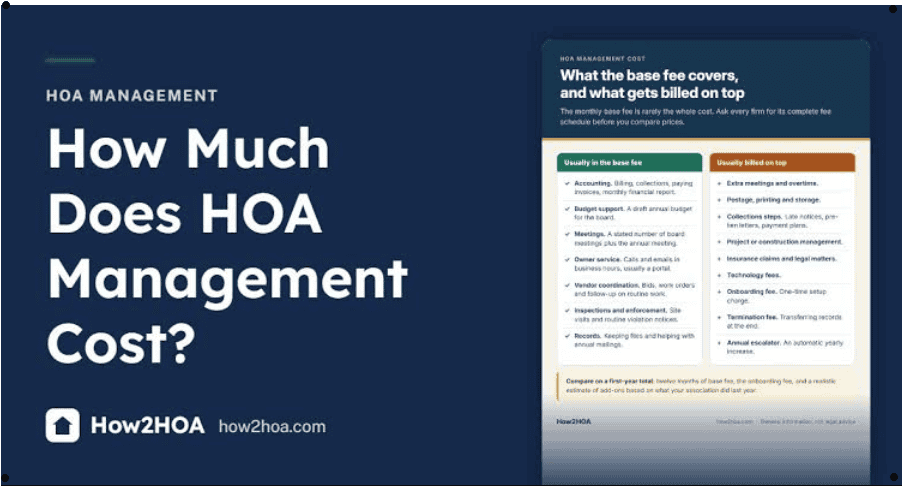
HOA management software can range from a few dollars per unit to hundreds a month. The published plans below show how wide that spread runs:
| Platform | Starting price | Free trial | Pricing model |
| HOA Start | $39/month, live phone support included | Yes | Published monthly plans |
| PayHOA | $49/month for 1–25 units, billed yearly | Yes, 30 days | Published, tiered by unit count |
| Buildium | $62/month (Essential), scaling to $400+/month | Yes, 14 days | Published tiers; Lumina AI Workforce only on Premium |
| CINC Systems | Quote after a demo | No | Quote-only |
| Vantaca | Quote | No | Quote-only |
| BuildingLink | Quote per building | No | Quote-only |
The sticker price rarely tells the whole story. Some platforms charge extra for bank integration or premium features. The annual total, once typical HOA fees are counted, lands between $500 and $1,500.
That still beats outsourced bookkeeping services at $200 to $500+ monthly, before an accountant adds $800 to $1,500 for tax preparation. Always start with a trial, because pricing pages can’t show you how long a year-end close really takes.
Can an HOA Use General Accounting Software Like QuickBooks?
An HOA can technically run its books in QuickBooks, but general-purpose accounting software built for businesses lacks owner ledgers, reserve separation, and assessment scheduling out of the box.
QuickBooks defaults to accrual-based accounting. That alone makes it difficult for a treasurer without formal training. You can force it to act like HOA software through manual workarounds, but each one becomes a habit only its creator understands.
The tax-time version of this story is common. An experienced treasurer builds a complex chart of accounts, then rotates off the board. The successor inherits a file nobody can reconcile, and the expected savings vanish into CPA cleanup fees.
There is a narrow case where it works: a 10-unit HOA with no amenities and a treasurer with real accounting experience. Everyone else will find a simpler tool easier to maintain, with HOA-unique reports and support staff who understand reserves, instead of advanced business features they’ll never open.
How Do You Choose HOA Software for a Self-Managed Community?
To choose HOA software for a self-managed community, match the platform to your community type, who runs the association, and the jobs the board needs done by tax season.
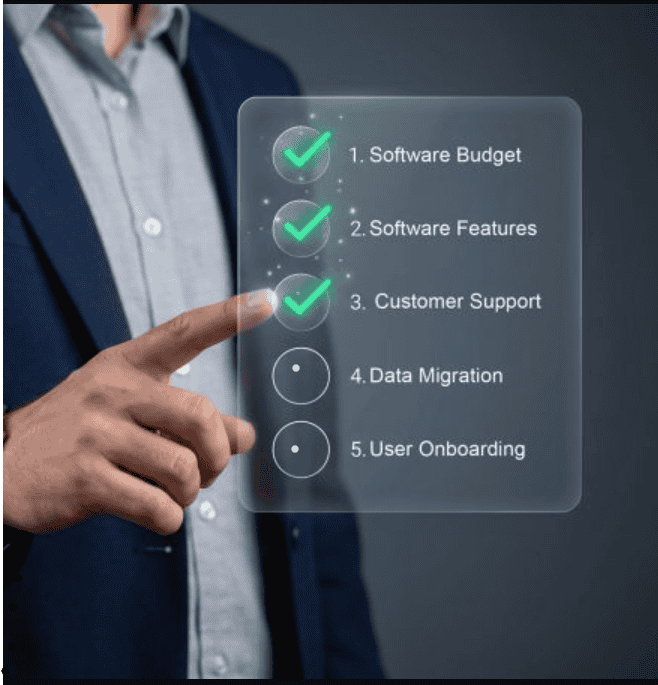
CAI’s 2025 Statistical Review found that 30 to 40 percent of community associations operate without a management company. Those self-managed boards don’t need enterprise depth. They need a tool that aligns with volunteer tasks like collecting dues, tracking reserve funds, and closing the year.
Most best HOA software roundups rank products as if every buyer were the same. Flip that approach: define those three elements first, then look for software built for all of them. Narrow your choices by price, verified customer reviews, and a free trial so you see what you’re buying.
More features don’t mean a better fit. Unnecessary modules add training time. At year-end, they’re just more screens between you and your numbers.
What HOA Software Do Self-Managed Boards and Management Companies Actually Use?
Self-managed boards most often use volunteer-focused platforms such as Pay HOA, while large management companies run CAM systems like CINC Systems or Vantaca.
Sort these tools into buyer categories before you compare features. The table shows who each platform suits and what that means for tax season:
| Platform | Best-fit buyer | Scale signal | Tax-season note |
| PayHOA | Self-managed boards and scaling management companies | 6,000+ communities served; 4.7-star rating from 1,000+ reviews | Native ledger reports; optional hybrid management covers tax filing |
| CINC Systems | Management companies needing deep financial integrations | 1,000+ management companies, 55,000+ associations, 6 million+ doors | Daily sync with 38+ financial institutions; about 3-month average implementation |
| Vantaca | Large CAM firms that want AI | 50,000+ associations, 6.5 million+ homeowners | AI agents close the books at month-end; quote-only |
| Buildium | Mixed rental and HOA portfolios | 4.4–4.5 stars across 2,500+ reviews | Rental-first; HOA-only groups pay for unused leasing tools |
| BuildingLink | Staffed high-rise buildings | 67+ modules | Few accounting tools; integrates with 17 accounting systems |
The split comes down to enterprise scale versus volunteer simplicity. Smaller firms and mixed portfolios often choose Buildium, or Pay HOA’s per-unit pricing for management companies. CINC Systems calls itself the largest SaaS provider in the community association industry, which tells you exactly who it targets.
Should HOA Accounting Software Include Payment Processing and Dues Collection?
HOA accounting software should include payment processing, because every online dues payment that posts automatically is one less entry to defend at tax time.
When a homeowner pays through a connected portal, the payments land on that owner’s ledger and flow into the income statement. Nobody retypes anything. Separate systems mean double data entry, and double entry is where year-end mismatches start.

Most treasurers still collect money several ways. Good tools let you import transactions from Stripe, PayPal, Square, and Venmo, and record cash and checks manually in minutes. One treasurer-focused platform bundles a checkout store powered by Cheddar Up, including a free Team Edition with low processing fees.
The real value shows up in receivables. When payments sync into the books, the board sees its true cash position and who’s behind. That makes delinquency questions from your CPA much easier to answer.
How Hard Is It to Switch to New HOA Accounting Software?
Switching HOA accounting software is manageable when you move at a clean break, ideally the beginning of a fiscal year, so the tax return draws from one system only.
Account setup is fast. One treasurer tool says sign-up takes less than 5 minutes, and most treasurers are running in under 30 minutes. The slow part is moving clean historical data, so follow this order:
- Export current records from the old system in compatible formats, including owner ledgers and last year’s statements.
- Upload owner contacts with the vendor’s .csv template, and use onboarding help for the migration.
- Verify that every owner’s balances transferred correctly before anyone receives a statement.
- Run both systems in parallel for a short stretch to confirm accuracy.
- Train all board members who need access to the financials.
Bigger platforms take longer. G2 reviewers report an average implementation of about three months for CINC Systems. A firm transitioning late in the year will likely file from its old books anyway.
Do You Need Accounting Experience to Use HOA Software, and Is Cash-Based Accounting Enough?
You don’t need accounting experience to use well-designed HOA software, and cash-based accounting is enough for many small, self-managed associations.
Cash-based books record income when money is received and expenses when they’re paid. That gives the treasurer a clear view of the money on hand. It’s also easy to learn and maintain between board meetings.
Good tools for non-accountants keep their interfaces in plain language instead of jargon, and let automation handle the technical posting. A basic understanding of income and expenses is helpful. Help-center resources should cover the rest of your questions.
Cash-basis simplicity doesn’t excuse you from the tax side, though. Your preparer still needs straightforward totals by category. Pick software whose reports line up with how the return gets built.
What Should You Expect From a Free Trial, Billing Terms, and Cancellation Policy?
A good HOA software free trial gives you a full 30-day window with nearly every feature unlocked and no credit card required.
Read the exceptions closely, because they often touch tax season. On one treasurer-focused platform, the ability to e-file tax forms works only on paid accounts. During the trial, statements can go only to the administrator email.
Bank and merchant account integrations are included on that trial, so you can test real access to your data. Billing terms matter just as much.
That same tool is billed annually once you continue past 30 days. You can cancel the subscription anytime, but there are no refunds on the annual fee. Check every vendor’s policy before you load a full year of ledgers.
What Financial Reports Should HOA Accounting Software Generate?
HOA accounting software should generate an income statement, a balance sheet, receivables aging, a budget comparison, reserve status, and owner statements.
These six outputs cover most of what a tax preparer asks for:
- Income statement: Revenue against expenses, split between operating and reserve activity.
- Balance sheet: Assets, liabilities, and fund balances at year-end.
- AR aging: Accounts receivable aging at 30/60/90 days for delinquency follow-up.
- Budget comparison: Actual spending versus projected figures by category.
- Reserve report: Contribution history and current reserve status.
- Owner statements: Individual account histories for homeowners.
Test every report during a trial. If the numbers need reformatting before your CPA can use them, the reporting engine will cost you hours each January.
How Is HOA Accounting Different From Regular Business Accounting?
HOA accounting is different from business accounting because an HOA collects recurring assessments from a fixed membership instead of earning sales, and it aims to break even rather than turn a profit.
That non-profit orientation changes what you measure. Budget adherence, delinquency, and reserve adequacy matter more than margins. Each owner’s account must also carry across years without resetting.
An HOA ledger separates long-term savings from operating cash, a split that generic software doesn’t enforce. The compliance model differs too.
State regulations set disclosure and reserve requirements. Associations may also need to comply with Corporate Transparency Act reporting. Those specific obligations explain why HOA-built software formats reports differently.
How Should an HOA Keep Track of Its Finances Year-Round?
An HOA should keep all financial activity in one central accounting system and update it year-round, not just before the annual meeting.
At a minimum, track dues, income, expenses, account balances, reserve funds, vendor payments, and budgets. Attach supporting documentation to each entry. Scanned invoices and receipts linked to transactions are what a reviewer will eventually ask to see.

Vendor records carry a tax job of their own. Software that pulls reports for 1099-NEC preparation saves you from digging through a year of paperwork. Maintaining organized records this way also makes treasurer handoffs and other year-end tasks far easier.
How Should an HOA Manage Reserve Funds Properly?
An HOA should manage reserve funds by keeping them separate from operating money and tracking every dollar contributed to and spent from them.
Reserves are generally set aside for major repairs and replacements. Think roofs, roads, pools, parking lots, elevators, and other shared assets that wear out over time.
Software earns its keep when it ties reserve transactions to reserve-study projections. Some platforms compare actual balances against planned funding automatically. That shows the board what’s available for future work before a shortfall forces a special assessment.
From a planning standpoint, it also helps when interest earned on reserves shows up as its own line. Preparers tend to ask about that line first.
What’s the Difference Between HOA Software and Property Management Software?
The difference between HOA software and property management software is focus: HOA software handles assessments, governing documents, violations, architectural requests, and board governance, while property management software handles rentals, leases, tenants, rent, and screening.
That split shows up in the bill. Buildium is rental-first, with leasing, screening, and a Lumina leasing agent built for landlords. An HOA-only group would pay for tools it never opens.
An association that also manages rental units may need both sides. That mixed setup is exactly what Buildium’s portfolio design targets.
What Types of Associations Can Use HOA Accounting Software?
HOA accounting software works for nearly any volunteer-run association, not just classic homeowners associations.
The same ledger logic fits condominium associations and condo owner associations (COAs), property owner associations (POAs), neighborhood groups, and cooperative housing associations. Planned unit developments, mobile home park associations, and townhome or townhouse communities share the same dues-and-reserves model.
Less obvious fits include lake and waterfront associations, private road maintenance groups, land trusts, common area associations, and general community associations (CAs). Smaller and more unusual associations often benefit most from simple software. They rarely have a treasurer who has filed an association return before.
Can Multiple HOA Board Members Access the Same Software Account?
Multiple HOA board members can usually access the same software account through multi-user logins with role-based permissions.
A sensible setup gives the treasurer full edit rights. Board members, committee volunteers, and outside reviewers get read-only views, so each person sees only what they need.
Look for tools that let you add users at no extra cost, since a per-user fee discourages oversight. Shared access also protects tax season. When the books live in the cloud instead of on one laptop, an audit committee can review the year before the return goes out.
What Kind of Support Should HOA Treasurers Expect From Their Software Provider?
HOA treasurers should expect support through a searchable help center, step-by-step guidance, and real people reachable by email, phone, and live chat.
Tools that serve thousands of volunteer-led organizations have usually handled a similar question before. A strong getting started section shortens the first month for trial users and paid accounts alike. HOA Start bundles live phone support into its plans, and that kind of provider access matters most in the weeks before a filing deadline.
Support quality is a useful tiebreaker in any software comparison. When volunteer boards hit a snag with bank sync, a broken owner ledger, or reserve visibility before tax filing, quick answers protect reporting accuracy and year-end readiness.
Ask each vendor where its filing support ends: CPA exports, e-filed forms, or added bookkeeping help. Check that it fits your treasurer workflow, too. Many treasurers search for HOA central pricing because they want every cost in one place. For a small HOA or self-managed association, the best software is usually the practical choice that publishes that pricing and answers the phone.