


The best wireless charging pad is the one that matches your phone’s charging standard, delivers stable real-world speed, stays aligned without overheating, and fits how you actually charge at your desk, nightstand, car, or while traveling.
- What Should You Look for in the Best Wireless Charging Pad?
- What’s the Difference Between Qi, Qi2, and MagSafe Chargers?
- How Fast Does a Wireless Charging Pad Actually Charge?
- Which Type of Wireless Charging Pad Is Best for Your Setup?
- Why Do Wireless Charging Pads Overheat, Misalign, or Stop Working?
- Which Wireless Charging Pads Are the Best Options Right Now?
- How Were These Wireless Charging Pads Evaluated?
- Do Cases and Accessories Affect Wireless Charging Performance?
- How Do You Choose and Set Up the Right Wireless Charging Pad?
- What Is the Best Wireless Charger Overall?
- Is Qi or MagSafe Better for Wireless Charging?
- Do All Phones Support Wireless Charging?
- What Is Qi Wireless Charging?
- What Is MagSafe and How Does It Work?
- Are Wireless Charging Pads Worth Buying?
- Are Wireless Chargers Fast Enough for Daily Use?
- Is It Normal for a Wireless Charger to Get Warm?
- Is 10W or 15W Better for Wireless Charging?
- Is a 25W or 45W Charger Better for Wireless Charging?
- Was MagSafe Discontinued?
- What Should You Look for in a Multi-Device Wireless Charging Pad?
- How Can You Stop a Wireless Charging Pad from Overheating Your Phone?
- What Kind of Wireless Charger Do You Actually Need?
- How Should Wireless Chargers Be Tested?
When I started shopping for chargers, I made the classic mistake of sorting by the biggest wattage on the box. The pad I bought had impressive numbers and a habit of letting my phone drift off its coil by morning. Peak speed sounds good in a listing, but reliability matters far more once a pad becomes part of your daily flow.
There’s no one size fits all answer, and the best rated wireless charging pad in a roundup can still be the wrong one for you. A convenient charging method only works if it fits your device, your space, and your routine. A pad that just works every night beats a newer, quicker model that needs constant nudging. That kind of reliable function is what turns wireless charging into a smoother experience instead of a chore.
The real payoff shows up in daily use. You get to top up your battery mid-way through the afternoon without cable gymnastics. You also stop fishing plugs out of the dust, cobwebs, and crumbs behind the bedside table, and you skip the cords trailing across the floor that ruin the aesthetic of a clean desk.
Before you buy, think about what devices you have and how you plan to use them. A single phone needs one coil. A watch and wireless earbuds might push you toward stands, mounts, or docks that can support several gadgets at once. The hand-picked picks in this list were stress-tested with that in mind, to ensure your device stays constantly charged and you get the most consistent experience with the fewest everyday charging hassles. Whether you call it the best wireless charger pad or simply the wireless charging pad best suited to your habits, the goal is a practical choice for routine charging in your everyday setup, so a dying phone stops being a daily worry.
What Should You Look for in the Best Wireless Charging Pad?
The best wireless charging pad matches your phone’s power output needs, carries safety markings from a clear brand, uses coil placement that forgives imperfect alignment, and works through your case when paired with the right adapter.
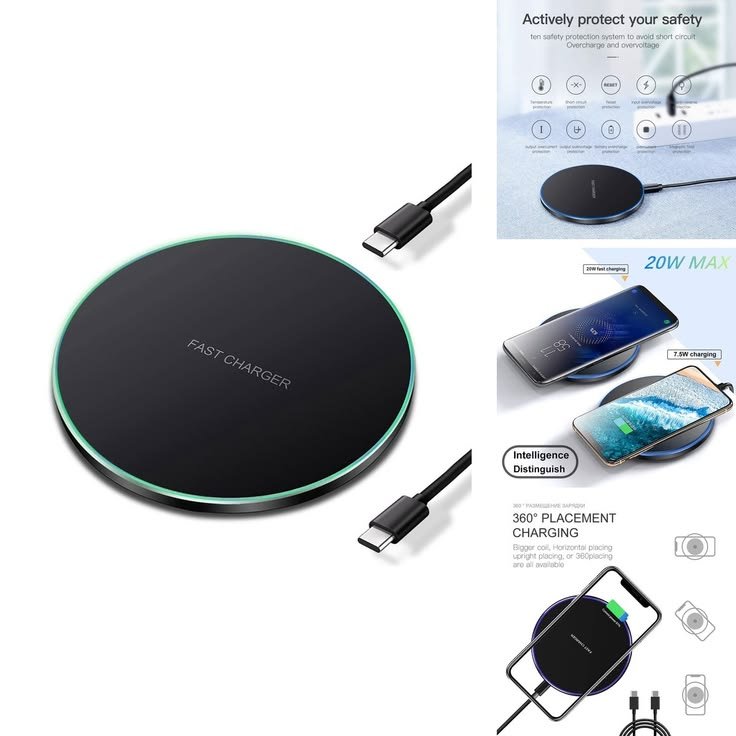
Start with wattage, because underpowering a phone is the quietest way to waste money. Look for at least 7.5W for iPhones, 10W to 15W for Android, and 15W for MagSafe-enabled devices. A pad’s maximum wattage only appears if the adapter supplies the wattage required, so a fast-charging plug is part of the purchase, not an extra. Proper input power and a solid adapter match mean less waiting at the outlet.
Coil placement decides how fussy a pad feels in real-world conditions. Single-coil pads reward precision, while multi-coil designs give you a wider landing zone when you set the phone down half-asleep. If you want perfect charging alignment without thinking about it, magnets do that job. A higher wattage won’t help if the coils never line up.
Case compatibility is the next standards check. Most pads work through cases up to 3mm thick, and in my experience, cases thicker than 5mm can block charging entirely. Cases with metal plates, along with wallet-style cases, cause the same kind of trouble. Case thickness is an easy box to tick before buying.
Quality affects your phone long after the box is gone. A certified Qi product from a trusted brand protects battery health and long-term battery life. Many cheaper chargers skip proper certification, and an uncertified pad can overheat, which can be dangerous. Check that your device supports Qi wireless charging, read the feature list for specific quick charging features, and stick with a certified Qi charger if you want the best qi wireless charger pad rather than the cheapest. What actual matters in your charger choice are speed, reliability, and honest charging tech. Get those right, and you’ve found the best wireless charge pad for your phone. Those are the buying criteria I’d use first.
What’s the Difference Between Qi, Qi2, and MagSafe Chargers?
Qi is the open standard for wireless charging, MagSafe is Apple’s own version with built-in magnets, and Qi2 brings that magnetic design to a cross-brand standard.
The history explains the confusion. Qi (pronounced chi) has been the universal wireless charging standard since 2008. It uses electromagnetic induction to move power from a coil in the pad to an internal Qi coil in your phone. Qi works with most phones made after 2017, which is why standard Qi pads still fit older phones without fuss.
MagSafe arrived with the iPhone 12 and added a ring of magnets for automatic alignment. MagSafe iPhones from the iPhone 12 and onwards snap into place, which improves efficiency and safety because the coils stay centered. That magnet-assisted charging was the first big generational shift in the standard evolution since Qi began.
Qi2 launched in 2023 and took magnetic alignment beyond Apple. A Qi2-ready phone can use Qi2 magnetic chargers, though some newer Android phones need an additional phone case or a Qi2-compatible phone case to provide the magnets. Qi2-enabled chargers stay backwards compatible with Qi-enabled phones, so broader compatibility comes built in.
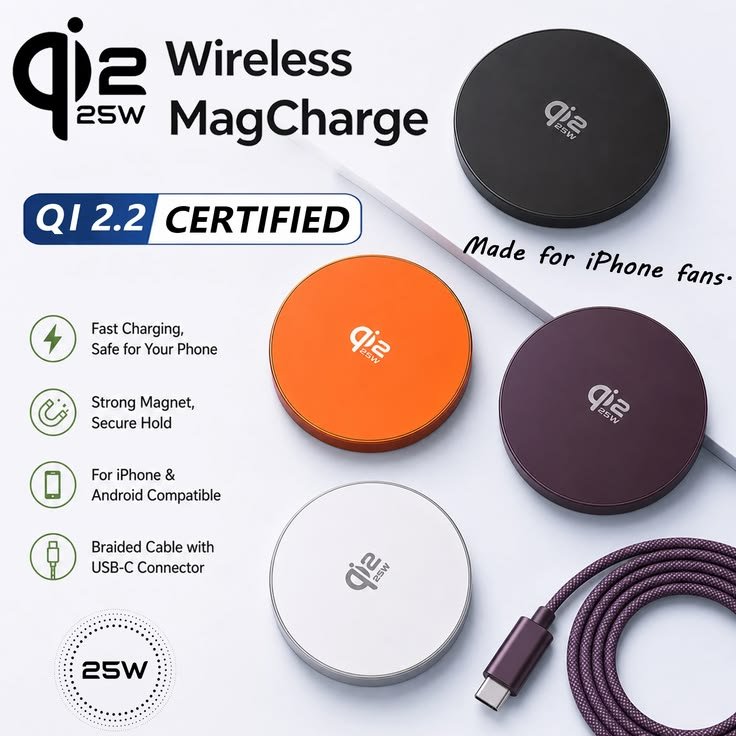
The newest step is the faster Qi2.2 standard, which brings ultra-fast 25W charging to the iPhone 16 and 17 models, excluding the 16e. iPhone 17 owners get the full benefit. For compatible devices on Android, Qi2 gives better alignment and better efficiency on many phones from new Androids, though most modern high-end phones in the Android phones category still run standard Qi, and lower-tier models from budget brands may skip wireless charging entirely.
Your ecosystem fit should guide the choice. Newer iPhones from the 12 and up get the smoothest experience on MagSafe or Qi2, with 25W speeds on supported models and faster 15W charging on the rest. Modern Android phones do fine on a standard Qi wireless charging pad, and anyone hunting for the best wireless charging pad for android phones should check the feature list for Qi2 and compatibility notes first.
How Fast Does a Wireless Charging Pad Actually Charge?
A wireless charging pad typically takes about 30 to 60 minutes to bring a phone from 0-50%, depending on the phone model, the standard, and the recommended wattage it can accept.
The table below shows real-world charge time estimates by device type. Treat these as targets for fast wireless charging under good conditions, not guarantees.
| Device | Charging Type | Recommended Wattage | 0-50% Time |
| iPhone 17 | MagSafe | 15W | ~30 minutes |
| iPhone 14-16 | MagSafe | 15W | ~30 minutes |
| iPhone 12-13 | MagSafe | 12W | ~35 minutes |
| Android (Samsung, Pixel) | Qi / Qi2 | 10-15W | ~40 minutes |
| Any phone | Standard Qi | 5-7.5W | ~60 minutes |
Advertised wattage and real speed rarely match. A 15W pad might deliver closer to 10W in practice, because heat, case thickness, and battery health all pull the number down. That thermal loss creates a speed drop during sustained charging, and the charge curve also flattens as the battery state climbs past the halfway mark. I’ve watched pads hold full maximum speed for a few minutes and then settle well below the box figure. The output reality sits somewhere under the label.
The latest Qi2 25W wireless chargers narrow the gap. On a compatible iPhone 16 or 17, Apple’s MagSafe charger claims 50 per cent in around 30 minutes, and some Qi2 docks quote under 30 minutes. Premium Android phones like the Pixel 10 and Galaxy S25 use the Qi2 15W standard. The chargers are backwards compatible, so older iPhones can still get reasonably swift 15W.
Orientation matters on stands. An older RAVPower stand supports portrait and landscape orientation, and it delivers up to 10 watt on Samsung Galaxy models and the Huawei P30 Pro, but not on iPhones. Samsung’s own stand pairs best with Samsung Fast Charge phones. Even a 7.5W pad is fine for overnight use.
For the fastest charging speeds, wired chargers with a charging wire still win, and very few models of wireless pads come close. If you rush to head out with your phone’s battery in the single digits, a cable is the honest answer. For a normal top-up window, though, the best fast wireless charging pad offers practical speed for real-life use and real-world charging. Matched to the right phone, the best fast charging wireless pad feels convenient rather than slow.
Which Type of Wireless Charging Pad Is Best for Your Setup?
The best type of wireless charging pad depends on where you charge, how many devices you own, and how much portability your routine needs.
Single-device pads are the simplest pad type. Flat, circular pads and other flat pads suit quick top-ups on a desk or nightstand, and many include LED indicators and non-slip surfaces. A MagSafe-compatible pad keeps the phone pinned in place. For work and sleep spots, I prefer small pads that leave room on the office surface.
Stands change how you use the phone while it charges. Upright designs with built-in kickstands are useful for video calls, recipes, and notifications in your desk setup. A magnetic car mount handles navigation the same way. In each case, the layout choice is about seeing the screen, not just powering it.
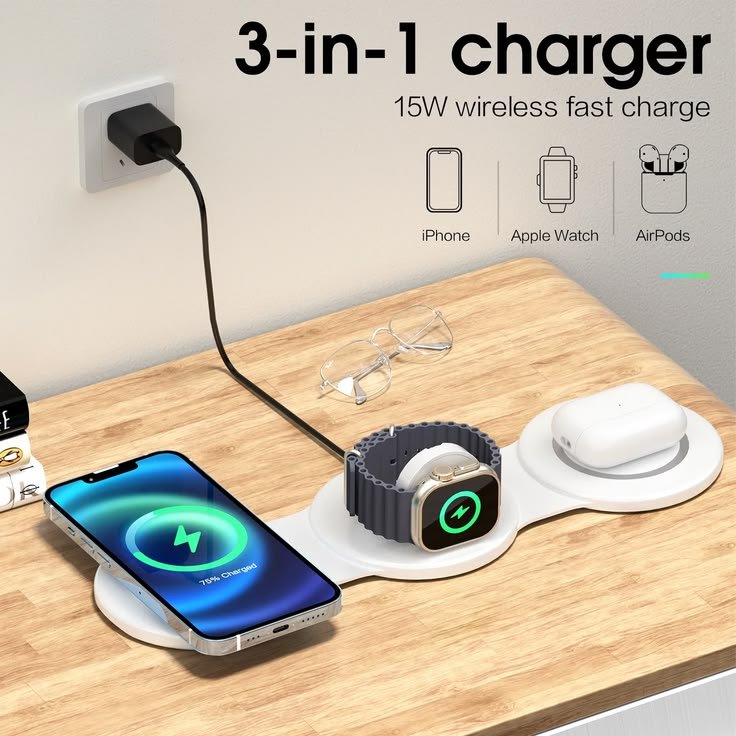
A multi-device wireless charging pad cuts cable clutter when you need to charge a phone, earbuds, and a smartwatch. Three-in-one stands work well on bedside tables for bedside charging, giving each gadget its own charging zones. If you’re comparing the best dual wireless charging pad with the best 3 in 1 wireless charging pad, count your devices first. A best large wireless charging pad with spread-out coils is handy for families rotating phones, and the best looking wireless charging pad for a living space is usually a compact dock with a space-saving format.
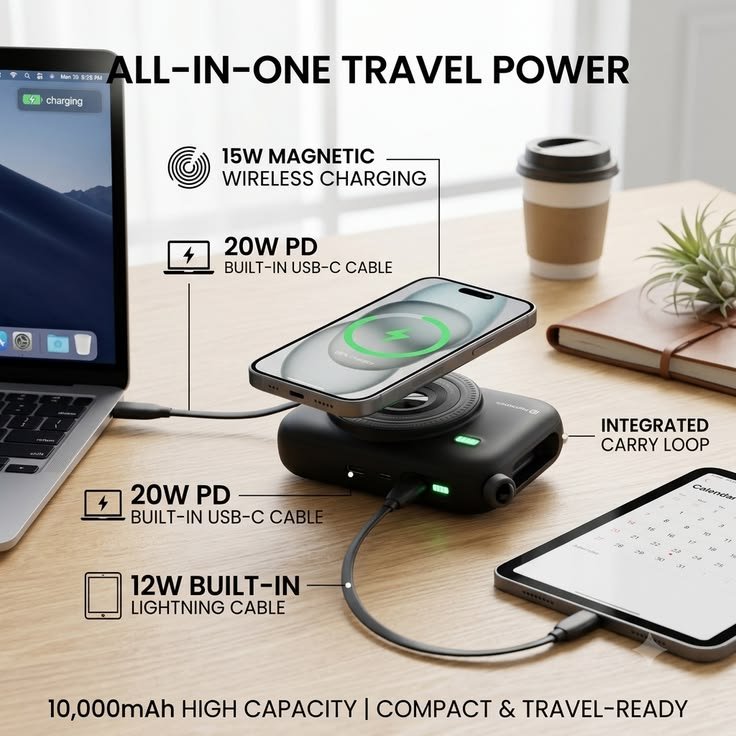
Portable chargers are for travel. Foldable options slip into a bag for commutes and hotel stays, and in my experience, anything under 8 ounces disappears in a travel kit for carry-on use. Battery-powered options save you from hunting for outlets. The best portable wireless charger for more places is often one of the compact designs that charges multiple devices simultaneously while staying compact and functional. Choose the best pick for the way you live, since mounts and docks both have clear strengths.
Why Do Wireless Charging Pads Overheat, Misalign, or Stop Working?
Wireless charging pads usually overheat, misalign, or stop working because of trapped heat, thick or metal-filled cases, misaligned coils, or a weak power source.
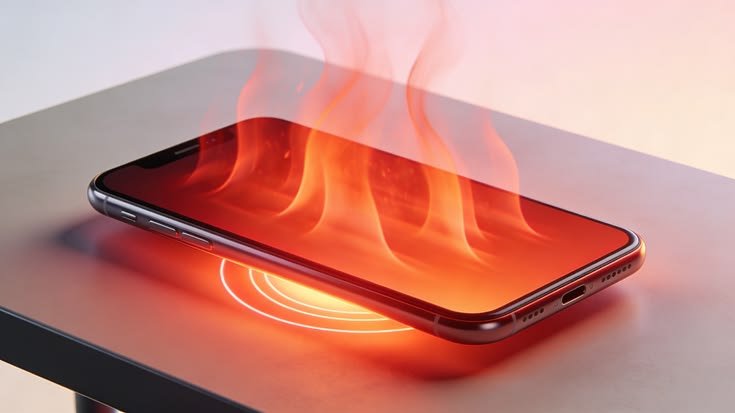
The common problems sound minor, but they add up. A phone slips off the pad when there’s little friction, and a vibrating notification can nudge it sliding off the charging coil overnight. Slip-offs on single-coil pads cause interrupted charging, and unstable placement or desk vibration creates alignment drift. What should feel effortless ends with a phone at 40 percent in the morning.
Here are the usual culprits I check first:
- Heat buildup: Overheating triggers thermal throttling, which causes slow speeds. Heat kills fast charging, and direct sunlight near windows makes it worse.
- Thick cases: Thick cases and case interference weaken the connection, especially anything thicker than 3mm.
- Hidden metal: Containing metal inside a case, such as plates, magnetic rings, or cards, causes blocked transfer.
- Misaligned coils: Misaligned coils waste power as heat and can stop charging altogether.
- Heavy use: GPS apps and background apps keep the phone working hard while the pad adds even more heat.
Some warmth is normal. Feeling a phone warm while charging is a by-product of the wireless charging process, and older Qi chargers can get toasty because they convert power less efficiently. Constant heat may cause slightly quicker wear on the battery over time. Temperature sensors in phones and pads will start cutting power if things get excessively hot, which explains why charging sometimes pauses with no warning.
The fixes are simple. To reduce a hot battery, move the pad to a cool, ventilated spot, away from laptops and anything that heats up. Increasing ventilation, choosing a charger with a fan, switching on airplane mode, and closing background apps all help you limit intense use. Remove cards you’re carrying essentials in, take off the phone case if it’s too thick, or try a grip-friendly case with a silicone ring on a busy desk.
If the phone still heats up, remove case layers, use a cable for a while to let things cool down, and consult the manufacturer if the problem continues. A phone that gets warm even on a standard Qi pad, when moving a compatible phone onto the coils still won’t start charging, or a case that won’t contain metal but still fails, may point to a faulty pad. Steps like these help prevent overheating before it becomes a pattern.
Which Wireless Charging Pads Are the Best Options Right Now?
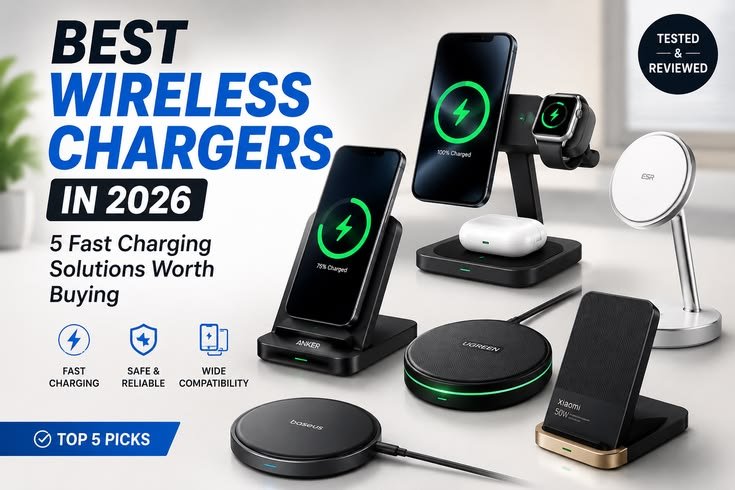
The best wireless charging pads right now include the Belkin 3-in-1 magnetic charging dock for most people, the ESR magnetic charging pad for tight budgets, and the Apple MagSafe charger for iPhone owners, with travel, car, and modular picks covering specific needs.
The table compares newer Qi2 and MagSafe picks with a few long-running Qi favorites that still turn up in drawers and desks.
| Charger | Category | Standard / Output | Format | Standout Detail |
| Belkin 3-in-1 magnetic charging dock | Best overall | Qi2, 25W | Dock | Premium design, three devices |
| ESR magnetic charging pad | Best budget buy | Magnetic, 15W | Magnetic pad | 62g, low price tag |
| Anker 3-in-1 wireless charging station | Best compact model | MagSafe compatible | Station | Uber-compact 60 x 60 x 35mm |
| Apple MagSafe charger | Best for iPhone | MagSafe, 25W on compatible iPhones | Puck | 2m cable, 46g |
| Belkin 2-in-1 foldable magnetic charger | Best for travel | Qi2 | Foldable | Two devices at once, 146g |
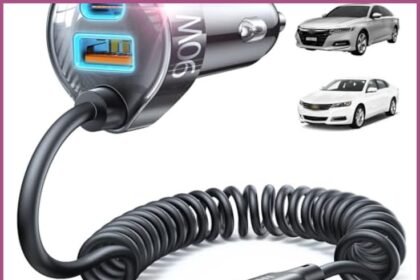
| Anker Prime wireless car charger | Best for cars | Magnetic | Stable mount | Needs a 12V socket |
| Mous wireless charging stand and Apple Watch charger | Best modular wireless charger | Wireless | Modular design | Apple Watch and Pixel Watch support |
| Belkin Boost Up Charge Wireless Charging Pad | Classic desk charger | Qi | Pad | LED light, AC adapter |
| Anker PowerWave Pad | Entry-level pick | Qi | Pad | Blue or black |
| RAVPower 7.5W wireless charging stand | Stand | Qi | Stand | Temperature monitoring |
| Samsung Fast Charging Station | Stand | Qi, maximum of 10 watts | Stand | White, grey, black |
| Mophie PowerStation Wireless XL | Dual-use charger | Qi | Pad + battery | 10,000mAh battery pack |
The Belkin dock earns the category winner spot because the robust build quality holds up to daily removal, and Qi2 25W-enabled phones can go from 0 to 50 per cent in just 25 minutes. The ESR pad uses a strong magnet and costs about £18, which makes it the best budget wireless charging pad for a single phone. For anyone looking for the best cheap wireless charging pad, ESR shows how far the cheapest form of magnetic charging has come.
Apple’s own puck makes the strongest case for the best wireless charger pad for iPhone because it unlocks 25W on compatible iPhone 16 and 17s. Belkin’s foldable charger is the travel charger I’d throw in a bag first. Anker’s vent charger connects through a 12V socket, includes a dual charging plug, and keeps Spotify or Google Maps on screen. If you want the best iPhone wireless charger pad for a nightstand, the Mous system’s minimalist design lets you add modules over time.
The older Qi picks still earn a mention. The Belkin Boost Up comes in white or black and works through cases up to 3mm thick. Samsung’s stand comes in grey and other neutral shades, and I’d honestly like to see more beige options for warmer rooms. The Mophie is part wireless charger, part power bank, so it’s a versatile device for any Qi-compatible device, and it’s an affordable route for most phones. That is the product spread I’d recommend from a trusted brand.
How Were These Wireless Charging Pads Evaluated?
These wireless charging pads were evaluated by charging real phones from 25 per cent battery and timing how long each one took to charge to 100 per cent, then judging build quality, design, cooling features, and portability.
The bench data comes from a tech writer with more than 15 years of experience, who tested each model by plugging in common devices, including smartphones and earbud cases. The main test phones were a Samsung Galaxy S24+ and an iPhone 15 inside a Mous MagSafe case. Using a 25 per cent battery to 100 per cent run as a charge performance baseline keeps the practical comparison fair across chargers.
The timings reveal more than the specs. On the Galaxy S24+, the Belkin 3-in-1 and ESR both took 2 hours and 18 minutes, while Anker’s 3-in-1 came in under 2 hours and 20 minutes. Apple’s MagSafe charger took just under 2 hours on the iPhone 15, and the Mous stand needed 3 hours and 24 minutes. Repeat testing with the same tested device and tested accessory keeps those numbers consistent.
Numbers alone don’t tell you how a charger feels. The review also looked at features, materials, and finish quality, separating cheap-feeling plastics from robust builds that resist wear and tear. The wire and cable quality matter too. I add my own hands-on use in everyday scenarios, paying attention to removal feel and doing a stability check when I lift the phone one-handed.
Portability was judged on how small and light each charger is for travelling. Desk chargers had to justify their space on a desk. Every pick had to hold up under that benchmark method before making the list.
Do Cases and Accessories Affect Wireless Charging Performance?
Cases and accessories affect wireless charging performance when they add thickness, contain metal, or push the phone off its coil, while slim, charging-friendly cases cause no slowdowns at all.
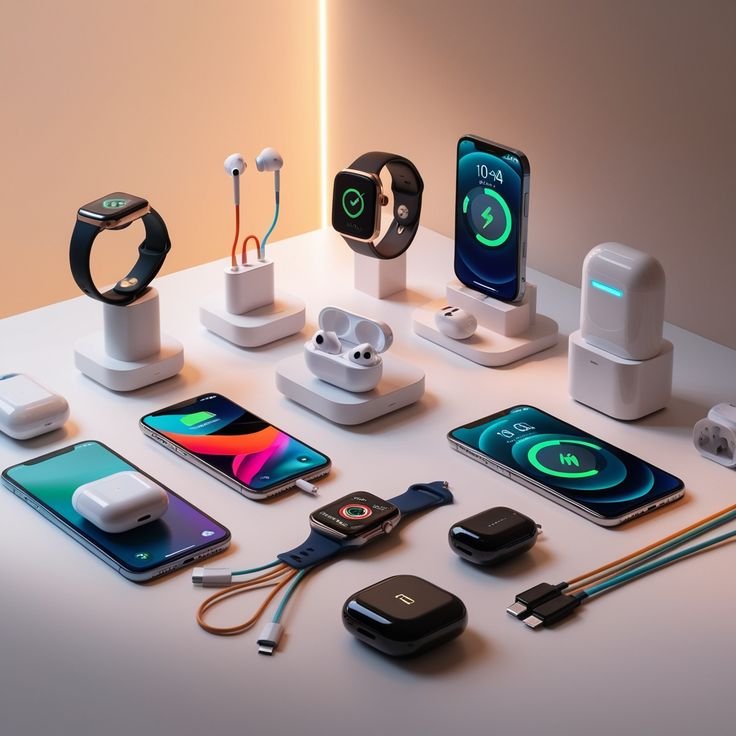
The right case keeps your phone protected and still charges through. Gripmunk and Gripzilla cases use air-pocket corners, raised screen edges of about 1 mm, and precise cutouts designed to avoid interfering with compatible pads. They work with MagSafe, Qi, and Qi2 chargers, which means no guessing for outdoor days or commutes. Clear polycarbonate, slim silicone, and TPU cases that are slim enough usually give zero interference with single-coil pads.
MagSafe compatibility in a case keeps snap-and-go charging intact. Without a magnetic ring in the case, magnets in the charger lose their grip, leading to accessory slipping on mounts. For extra protection, I lean toward protective cases with built-in magnets and smart case design, since fitment and grip edges matter as much as thickness.
Accessories are where trouble hides. Metal plates for car mounts, stick-on magnetic rings, PopSockets, other rings, and kickstands can lift your phone off the pad or add hidden metal. Wallet cases with card slots create similar problems. If you use a Wallet Slayer Vol. 1 or Wallet Slayer Vol. 2, check whether the maker recommends you remove cards before charging. The best iPhone wireless charging pads can’t push power through a stack of cards.
Smart magnetic add-ons can still help you bulk down. A magnetic vent mount handles wireless top-ups and GPS navigation, while a 15W MagSafe stand among your desk stands and other desk accessories frees your hands for hands-free video calls. A foldable Qi2 pad or foldable travel charger joins battery packs among your travel accessories for hotel stays, and a multi-device station on a desk stays compact and functional. Paired with charging-friendly cases, that’s reliable charging and reliable charging anywhere.
How Do You Choose and Set Up the Right Wireless Charging Pad?
You choose the right wireless charging pad by matching it to your phone’s wattage and standard, then setting it up with a strong USB-C Power Delivery input, a wall adapter rated at least 18W, and a stable surface away from heat sources.
Start with your habits instead of the spec sheet. If you’re charging one phone in one spot, a single pad gives the fastest and most consistent experience. Anyone rotating among multiple devices, such as a phone, earbuds, and a watch, should consider a three-in-one station. Travelers and commuters who need power in more places will get more from a foldable charger that keeps their kit compact, functional, and useful.
Then match wattage to the phone you own. An iPhone 17 and newer benefit from Qi2 or MagSafe, Android flagships want 10W to 15W, and older iPhones need a 7.5W minimum. Anyone looking for the best wireless charging pad for android should check for Qi2 support, while the best wireless iphone charger pad for an older model doesn’t need 25W. Mid-range pads run about $20 to $30, and budget picks with a two-year warranty are worth a look. Don’t overpay for RGB lighting, premium materials, or the priciest, flashiest model, especially as lower prices follow new releases.
Here’s a quick setup recap by location:
- Desk: Choose a stand that will bulk down your workspace, and keep it away from laptops and other heat sources.
- Bedside: Pick a multi-device dock on a stable surface, out of direct sunlight, so every gadget charges overnight.
- Car: Use a magnetic mount with a dedicated plug, and keep the case free of metal.
- Travel: Carry a foldable pad plus your adapters and cables, so you can plug it into the wall anywhere.
Good setup habits finish the job. Use a case under 3mm thick, focus on cable pairing and outlet planning so the right adapter reaches the outlet, and get your surface placement right. After that, the pad delivers power with no cables required, and you can stop thinking about charging altogether.
For future-proofing, my observation is that Qi2 adoption is accelerating in 2026, with more manufacturers adding magnetic alignment support and broader compatibility for upcoming phones and accessories. Battery technology and faster wireless charging should keep improving over the next few years, but current 15W pads will stay useful for most people. A future-proof buy with Qi2 is the top option for long-term value, and the same logic applies whether you call it the best wireless iphone charging pad or the best wireless charging pad iPhone owners can rely on.
What Is the Best Wireless Charger Overall?
The Belkin 3-in-1 magnetic charging dock is the best wireless charger overall for most people because it can charge up to three devices simultaneously while taking minimal space. At 545g, its weighty base and metal arm stay planted on an office desk. A 90-degree rotating charge pad, a fabric charging wire, and a whisper quiet integrated fan with a clean design make it suitable for a living room or work office, and worth the money.
Is Qi or MagSafe Better for Wireless Charging?
MagSafe is better for newer iPhones, from the 12 and up, while a standard Qi wireless charging pad suits older phones and many phones from other brands. MagSafe and Qi2 deliver faster 15W charging, 25W speeds on supported models, better efficiency, and improved safety through magnets. New Androids with Qi2 get the same smoothest experience. For the best wireless charging pad for iPhone, magnets win, but standard Qi remains universal.
Do All Phones Support Wireless Charging?
No, not every phone supports wireless charging, although most modern high-end phones can charge wirelessly. Lower-tier models from budget brands often skip the internal Qi coil to cut costs, and some simply won’t include them. Recent iterations across a wide variety of modern smartphones are supported, but check the phone’s feature list first. Also note that, in my experience, iPads don’t charge wirelessly, so the best wireless charging pad for iPad doesn’t exist yet.
What Is Qi Wireless Charging?
Qi is the open wireless charging standard that lets devices like phones, earbuds, and smartwatches be charged wirelessly through magnetic induction between two coils. Qi2 is the upgraded version, adding magnets for better alignment, and modern Android phones are steadily adopting it. Before buying, confirm your phone’s compatibility on the spec sheet. Pairing Qi2 with a Qi2 phone gives the smoothest experience, while classic Qi still covers nearly every wireless-ready handset.
What Is MagSafe and How Does It Work?
MagSafe is Apple’s magnetic wireless charging system, and it works by using a ring of magnets that snap the iPhone onto the charger’s coil. MagSafe chargers automatically add magnets for perfect alignment, which prevents slip-offs and creates stronger alignment than flat pads.
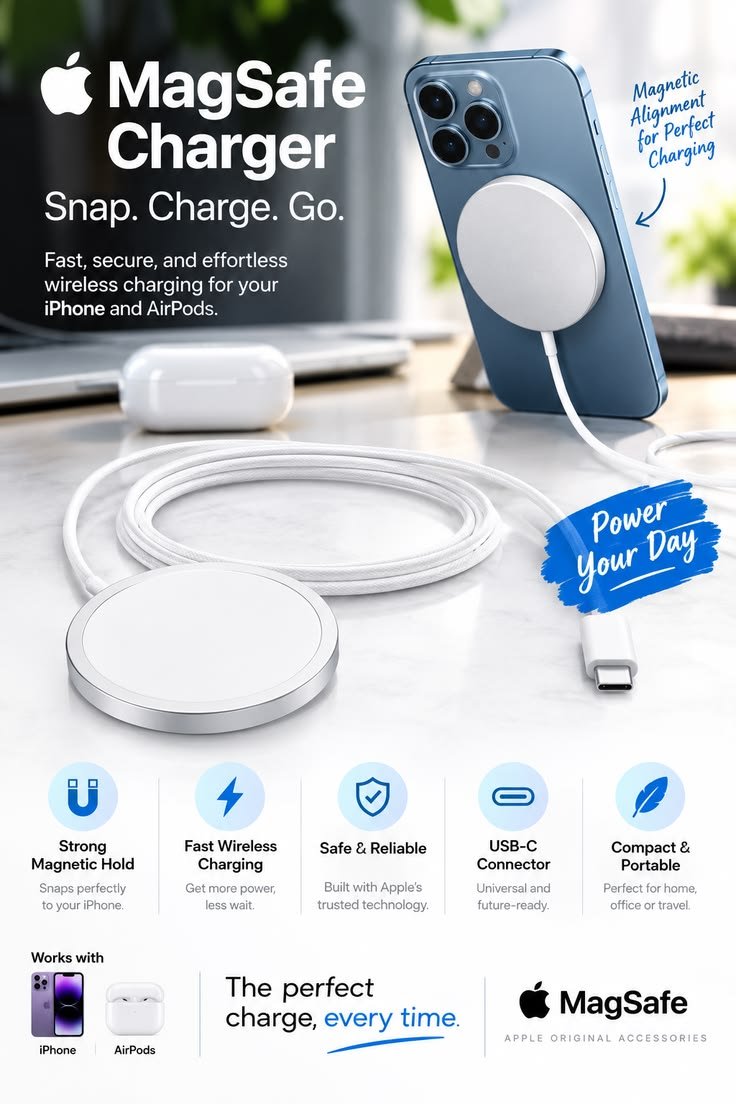
Compatible phones include the iPhone 12 and later, excluding the 16e. The result is a seamless charging experience, because the coils line up every time without any fiddling.
Are Wireless Charging Pads Worth Buying?
Wireless charging pads are absolutely worth buying if you want to keep your device topped up without plugging in. A good wireless charging pad frees you from fumbling with cables at night and during busy afternoons. The real value comes from convenience. When a pad matches your phone, stays put, and charges effortlessly, you stop noticing it, and that’s exactly the point of owning one.
Are Wireless Chargers Fast Enough for Daily Use?
Wireless chargers are fast enough for daily use, though very few models match a cable’s speed. The latest Qi2 pads are quicker than older ones, and they’re more convenient for overnight and desk top-ups. If you’re in a rush to head out with your phone’s battery in the single digits, plug in a cable. Wired charging recovers more power in a short space of time.
Is It Normal for a Wireless Charger to Get Warm?
Yes, a wireless charger getting warm is normal, because some heat is typical when power moves between coils. Mild warmth isn’t harmful, but constant heat can wear down your battery life over the long term. To limit wear, stop charging at 80 to 90 per cent full. If the phone feels hot rather than warm, check the case and how the phone is placed on the pad.
Is 10W or 15W Better for Wireless Charging?
15W is better than 10W for wireless charging if your device supports it, because it can significantly reduce charge time. Many Android phones and MagSafe iPhones accept 15W for faster top-ups.
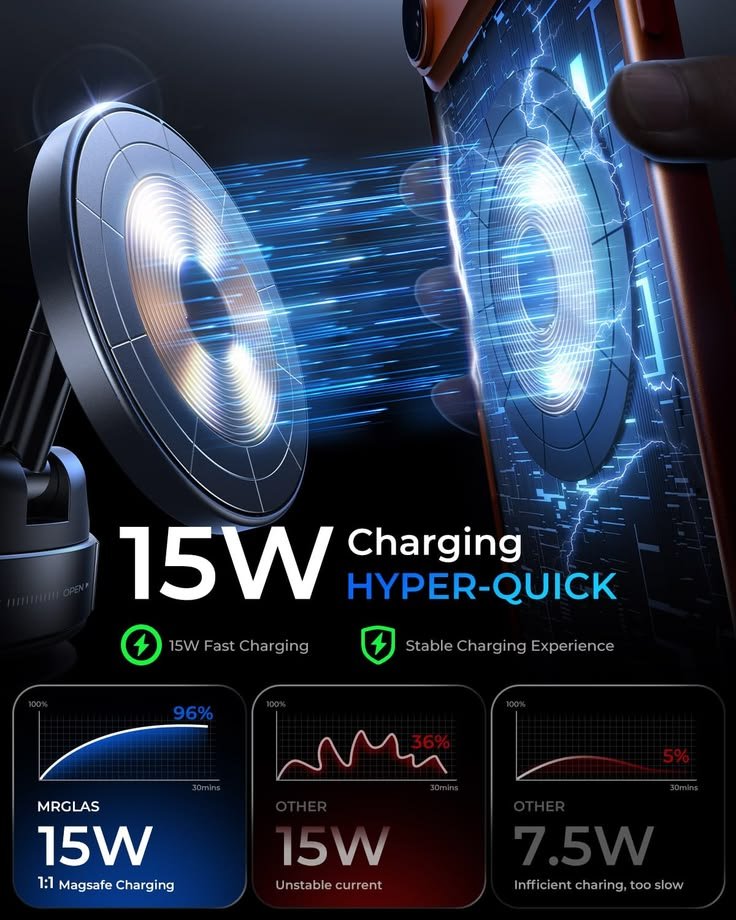
If your phone only supports standard Qi, a 10W pad still charges faster than 5W. For compatible devices, 15W is the fastest option most people will actually notice, so pay for it only when your phone can use it.
Is a 25W or 45W Charger Better for Wireless Charging?
A 25W charger is the better choice for wireless charging, because most modern phones can only handle wirelessly around 15W, and 25W applies only to Qi2.2 iPhones.
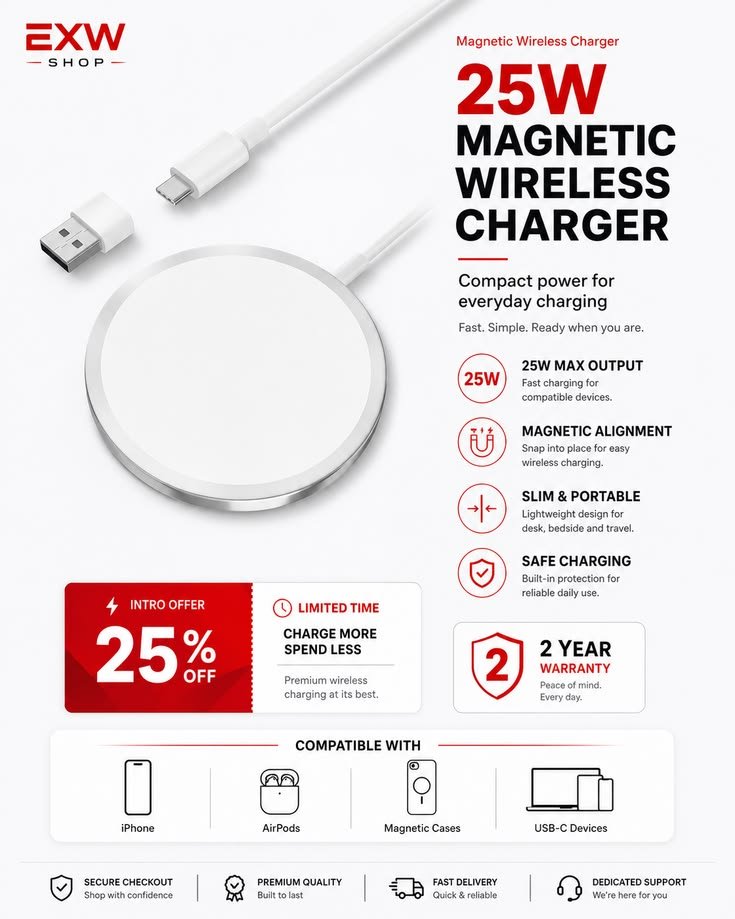
Most buying advice focuses on wattages up to 15W for that reason. In my experience, higher advertised wattages like 45W usually describe wired charging, or the total when power is split across devices. 25W is the sweet spot for efficiency.
Was MagSafe Discontinued?
MagSafe was actually not discontinued, and Apple still builds it into the latest iPhone 17. The confusion comes from the newer Qi2 wireless charging standard, which borrowed MagSafe’s magnetic alignment and opened it to other brands. Compatible devices still get 15W charging at minimum, and supported iPhones go even faster. MagSafe and Qi2 now work side by side rather than replacing each other.
What Should You Look for in a Multi-Device Wireless Charging Pad?
A multi-device wireless charging pad should give every charging zone enough dedicated power for its device. Look for about 15W for the phone, 5W for earbuds, and 3W for smartwatches. Avoid pads that share a single lower wattage across all your gadgets, because that setup slows every device down. Check the spec sheet for per-zone output instead of one combined figure on the box.
How Can You Stop a Wireless Charging Pad from Overheating Your Phone?
You can stop a wireless charging pad from overheating your phone by charging in a cool spot, away from direct sunlight. Remove any phone case that’s too thick, meaning over 3mm, or that might contain metal. If your phone gets warm, try closing background apps and give it a few minutes to cool down. These small habits are usually enough to prevent overheating during everyday charging.
What Kind of Wireless Charger Do You Actually Need?
The kind of wireless charger you need depends on your phone’s standard, so double-check that it’s Qi or Qi2 enabled out of the box to avoid guesswork. Moving a compatible phone onto the pad should start charging right away. Plugging into a laptop or power bank through USB ports is slower than using wall sockets. Before you purchase, see whether the box will include one adapter, and skip uncertified pads, which can be dangerous.
How Should Wireless Chargers Be Tested?
Wireless chargers should be tested by timing real charges, and when I connect my phone, I start at a fixed battery level every time. Next, I charge more than one device at a time to see whether speeds hold up. I also judge build quality, portability, cooling features, and design. Finally, I ask whether I’m happy with it taking space on a desk or packing it for travelling.